When a LiDAR overlay appears rotated or mirrored in a camera image, check coordinate conventions, transform direction, and image geometry before recalibrating the sensor pair. A camera body frame and its optical frame can use different axis directions. A plausible-looking transform can still be applied backward, applied twice, or combined with intrinsics from a different image stream.
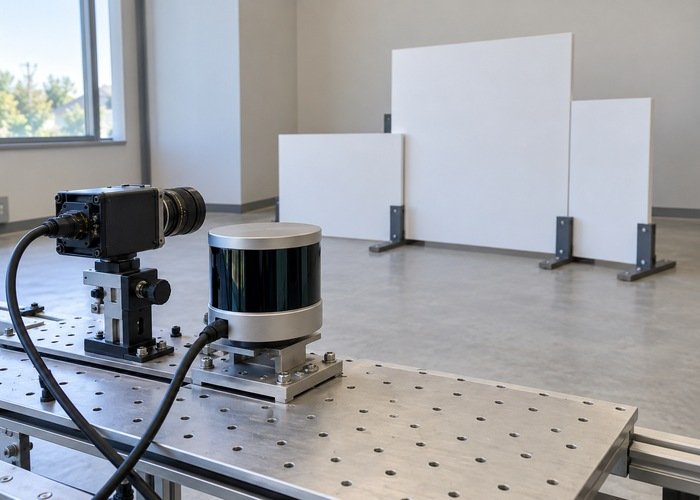
Start with a stationary, asymmetric target arrangement and a small set of identifiable points. Predict where those points should move in camera coordinates and then in pixels. This separates a discrete axis or pipeline mistake from an imperfect extrinsic estimate. A visually pleasing overlay in one small region is not enough to establish correct alignment.
The LiDAR, camera and IMU calibration workflow covers full calibration. This diagnostic addresses the earlier convention check: whether the existing coordinates and transformations are interpreted consistently before collecting a new calibration dataset.
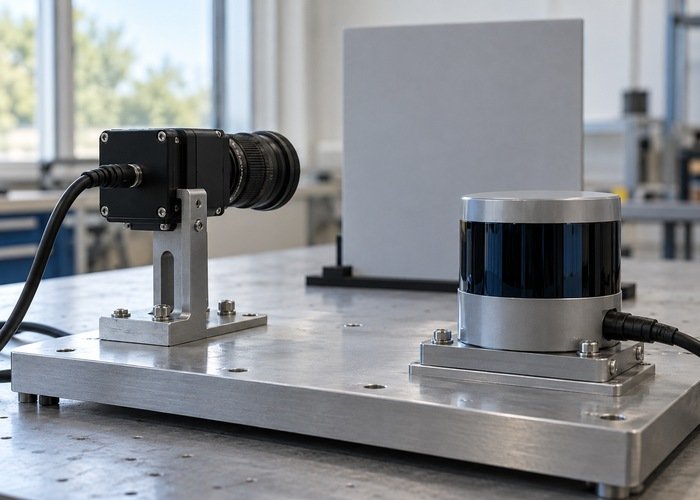
Write a frame contract for the actual data
List the LiDAR cloud frame, camera body frame, camera optical frame, robot base frame, image topic, and CameraInfo topic. Identify which process produces each transform and which process projects the cloud. Record driver revisions, effective launch configuration, and the image processing stages between capture and display.
The REP 103 coordinate conventions define body-style axes and the camera optical convention. Use the following as a reference, then confirm the installed driver’s actual coordinates. A frame name ending in optical is useful documentation, but it does not prove that the producer placed point values in that convention.
| Reference convention | Forward or depth | Horizontal axis | Vertical axis |
|---|---|---|---|
| Body-style frame | Positive x forward | Positive y left | Positive z up |
| Camera optical frame | Positive z forward | Positive x right | Positive y down |
| Image coordinates | Projection from the camera model | Pixel column direction | Pixel row direction |
Keep physical mounting orientation separate from coordinate convention. The optical frame is not created by moving the camera to a new location on the robot. Document the fixed relationship between the body and optical frames and where that relationship is already included in the processing chain.
Confirm what the camera metadata describes
The CameraInfo definition identifies the optical frame and describes calibration matrices, distortion information, image dimensions, binning, and region of interest. Match this metadata to the exact image being overlaid. Do not pair a resized or cropped image with unrelated full-resolution intrinsics.
Record whether the displayed stream is raw, rectified, cropped, scaled, rotated, or mirrored. A display-only flip can make correct geometric projection appear wrong. Trace the image from acquisition to the final canvas and write down every operation that changes pixel coordinates. Keep an untouched comparison image when diagnosing a display pipeline.
Check the calibration state and model rather than assuming a nonempty message proves usable intrinsics. Preserve the original matrices and the image dimensions they describe. If the driver or image processing changes the output geometry, confirm how the corresponding metadata is updated before treating residual pixel error as an extrinsic fault.
Name the transform direction explicitly
Define the intended operation in words: transform a point expressed in the LiDAR frame into the camera optical frame. Then identify the API call or matrix that performs that operation. Write source and destination next to the stored matrix. A filename such as camera_lidar does not reliably tell another engineer whether the matrix maps camera to LiDAR or LiDAR to camera.
The official tf2 introduction describes connected frames and time-dependent relationships. Check the complete chain used by the projection process. An external calibration file may already include a body-to-optical rotation; applying the same conversion again creates a different result even though every individual transform looks familiar.
For a matrix implementation, document its vector and multiplication conventions, translation units, rotation representation, and source-to-destination meaning. Inverting a rigid transform requires inverting the complete transform, including translation in the appropriate basis. Changing only the signs of three translation numbers is not a general inverse operation.
Inspect one physically interpretable point through each intermediate frame. Keep the intermediate coordinates as evidence. This is more informative than repeatedly adjusting yaw, pitch, or roll until one target appears close. Preserve a known baseline so that an unsuccessful experiment does not become the next undocumented starting point.
Challenge the axes with asymmetric geometry
Use identifiable targets at different lateral positions and heights in a stationary scene. Include enough asymmetry that a left-right swap or a quarter-turn cannot accidentally appear correct. Confirm that the LiDAR actually returns points from the surfaces being compared, and account for different sensor viewpoints and occlusion.
First inspect points in the camera optical frame before projecting them. Check depth sign and the expected directions of lateral and vertical displacement. Then examine pixels. If the intermediate coordinates already contradict the physical arrangement, investigate axes, transform direction, and units before changing camera intrinsics.
A useful test record names each target, its expected side of the optical axis, the transformed point coordinates, and the observed pixel region. These are project observations to collect, not universal numerical tolerances. Repeat the check with targets outside the center of the image so that one coincidental alignment does not hide a convention error.
Use the projection model for the displayed image
The image_geometry pinhole camera interface distinguishes projection into rectified pixel coordinates from operations on raw image coordinates. Select the model appropriate to the stream. A raw distorted image and a rectified image are not interchangeable canvases for the same unqualified projection calculation.
Keep the coordinate transformation and camera projection as separate logged stages. Reject or explicitly handle points outside the model’s valid viewing region. Do not use clamping to force every projected point onto an image border; it can create patterns that resemble alignment while concealing invalid geometry.
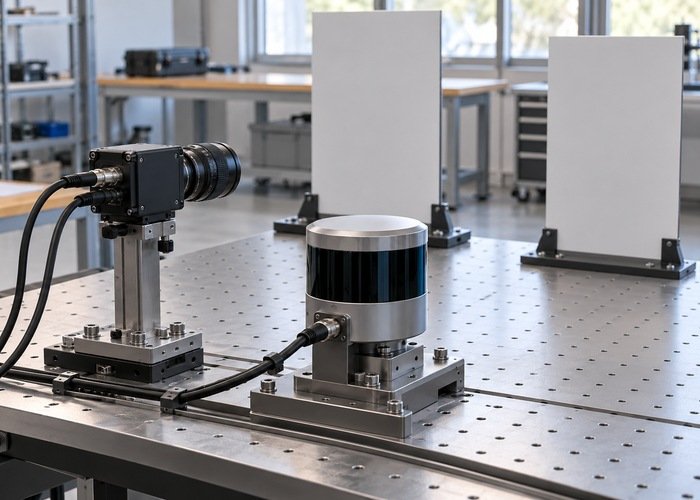
If the overlay is correct while stationary but shifts during motion, investigate timing using the sensor clock-check guide. Exposure timing, scan acquisition, and pose interpolation can affect a moving scene. Do not convert a timing symptom into a permanent extrinsic rotation without evidence.
Distinguish convention errors from calibration residuals
A consistent axis swap, reversed direction, duplicate rotation, or image flip suggests a pipeline interpretation problem. Smaller scene-dependent residuals may involve intrinsics, extrinsics, timing, mounting rigidity, occlusion, or selection of different physical surfaces. These are diagnostic clues rather than proof of a single cause.
For fixed mounting relationships, the official static transform broadcaster tutorial explains publishing a fixed transform. Confirm the intended parent and child frames and avoid duplicate conflicting publishers. Do not publish a new static relationship merely to cancel a display error without locating the existing transform chain.
Revisit the broader sensor-fusion requirements when the desired result depends on moving-platform pose or multiple clocks. Keep upstream cloud processing identifiable using the point-cloud processing checklist. A transformed cloud and a raw cloud can require different projection paths even when their topic names are similar.
Questions to resolve before recalibration
Does changing frame_id rotate a cloud?
No. Changing the label alone does not transform its coordinate values. Confirm both the numeric representation and the frame identifier at every boundary.
Does a mirrored overlay always mean the extrinsic rotation is wrong?
No. A display flip, image preprocessing, coordinate interpretation, or wrong projection path can produce that appearance. Test a stationary asymmetric scene and inspect intermediate coordinates first.
What evidence should accompany an unresolved alignment issue?
Provide source and target frames, the exact transform chain, image and calibration metadata, representative points, and predicted versus observed pixels. Use a reproducible support bundle with private details removed. This gives another engineer a concrete test rather than only a screenshot that looks rotated.