When Nav2 stops because LiDAR data is stale, preserve the freshness watchdog and identify why the Collision Monitor no longer considers its source valid. Check the effective source timeout, message timestamp, monitor clock, subscription, and required transforms. Raising a timeout until motion resumes can hide a broken sensing path rather than restore it.
First distinguish a deliberate zero-velocity command from an inactive controller, an obstacle-zone response, or a lower-level motor fault. Save the monitor’s messages and the command path at the same event. A robot that does not move provides an observation, not a complete diagnosis of which component stopped it.
The Nav2 observation-pipeline diagnostic follows data into obstacle processing. This article targets a different boundary: a freshness-related stop in Collision Monitor, including cases where a viewer still shows the last cloud and therefore gives a misleading impression that sensing is healthy.
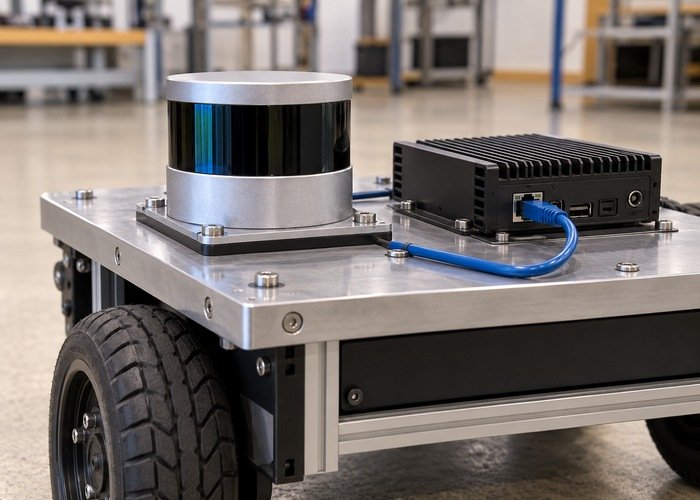
Record the stop at the command boundary
Identify the deployed Nav2 and ROS versions, Collision Monitor configuration, observation sources, namespaces, and command input and output topics. Record which process ultimately commands the base. Include velocity smoothing, arbitration, and any additional watchdog between the monitor and the motor controller so that a zero command is not attributed to the wrong layer.
The official Jazzy Collision Monitor reference describes source validity timeouts and individual source overrides. Its stop_pub_timeout concerns how long zero velocity continues to be published after a stop; it is not the source freshness interval. Check the installed release rather than copying example values from another version.
Keep the physical robot stationary through the team’s normal test procedure while inspecting configuration and logs. Initial signal-path checks do not require a moving robot. Define who controls any later motion trial, how motion is independently stopped, and what evidence is required before the test may continue. Passing this diagnostic does not establish a safety certification.
Resolve the effective timeout for every enabled source
List each enabled observation source with its resolved topic, message type, source-specific settings, and the inherited node-level values. Inspect the effective running parameters. A launch override can make the loaded timeout different from the value in a repository file that an engineer happens to open.
In the versioned Collision Monitor source implementation, the source-specific timeout inherits the node setting unless overridden, and validity compares source time with the monitor’s current time. Inspect the installed source adapter to establish which timestamp reaches this comparison. A stream of newly delivered messages can still carry old acquisition stamps.
| Observation | Next boundary to inspect | Evidence to preserve |
|---|---|---|
| No new source messages | Driver, subscription and transport | Resolved topic, endpoint policies and receive interval |
| Messages arrive with old stamps | Clock conversion or processing backlog | Original header times and identified receive clock |
| Fresh stamps but source remains invalid | Transform and source-specific processing | Exact warning, frame chain and loaded configuration |
| Monitor output is zero without a stale-source warning | Zone response or another state | Monitor state and command input/output at the same event |
| Monitor output is correct but base remains stopped | Downstream arbitration or controller | Command path and downstream status |
Use the table to choose one experiment. Do not simultaneously change source timeouts, frame names, queue depths, and velocity topics. If several changes are required for a documented migration, preserve the combined configuration and state that their individual effects were not isolated.
Measure age using an established clock relationship
Record sensor acquisition time, driver publication time when available, host receipt, and monitor evaluation as separate events. State which clock supplies each value. An apparent age calculated between unrelated epochs or units is not evidence of transport delay. Keep raw values so another engineer can check the conversion.
The ROS 2 clock-and-time design distinguishes system, steady, and ROS time. Check effective simulated-time settings and the intended clock publisher during replay. A monitor following simulated time and a driver stamping wall time can produce misleading age observations even when messages are delivered regularly.
Compare a short healthy interval with the interval preceding the stop under the same workload. Retain the largest observed gaps and the sampling method rather than reporting only an average frequency. The LiDAR publish-rate workflow separates packet arrival, driver publication, and subscriber reception; all three can differ from freshness at the monitor.
Check reception and transforms independently
Confirm the actual source topic and subscriber connection from the monitor’s execution environment. Containers, remapping, and multiple robot namespaces can change the observed path. A diagnostic subscriber on a development laptop does not prove that the deployed monitor receives the same messages with the same settings.
The official ROS 2 QoS reference explains offered and requested policy compatibility. Use the LiDAR QoS checklist when a topic exists but the intended subscriber is silent. Do not treat discovery as proof of successful data delivery.
Next inspect the source frame and the transform chain required by the deployed monitor configuration. The official tf2 time tutorial distinguishes a timestamped transform request from a latest-time request. Do not substitute the latter merely to make a transform failure disappear.
If the warning contains extrapolation details, retain the requested and available times and follow the TF extrapolation diagnostic. Fresh reception and transform availability are separate gates. A healthy rate cannot compensate for a missing or temporally inconsistent frame relationship.
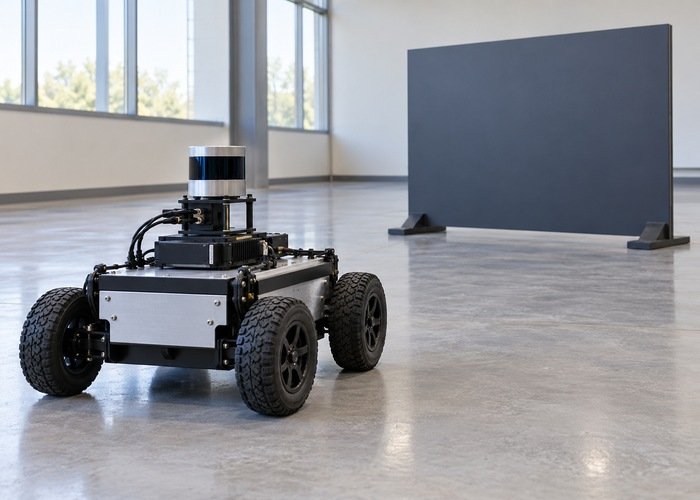
Test loss and recovery without bypassing the watchdog
Begin with a stationary signal-path trial using the team’s controlled commissioning method. Introduce one bounded interruption at a known boundary, such as stopping the test publisher under an approved procedure. Record the last accepted source time, monitor warning, command output, and recovery event. Keep the interruption distinct from an obstacle entering a zone.
Restore the original input and verify new valid data, correct transforms, and the intended downstream state before permitting movement. A stale display image or a restarted process is not sufficient recovery evidence. Repeat the condition that originally caused the fault, including startup or sustained-load behavior where relevant.
Choose acceptance criteria from the robot’s requirements and measured sensing path, not a universal timeout printed in an article. Evaluate gaps, acquisition age, processing delay, and command handling together. If the current system cannot meet the required freshness budget, preserve the stop and investigate its cause instead of disabling the source’s blocking behavior.
Repeat the loss-and-recovery trial after a cold start and under the required normal workload. Record when each required source first becomes valid, so a passing steady-state test does not conceal the original startup failure.
What should remain in the incident record?
Keep version identities, effective parameters, source timestamps, frame evidence, command-path observations, and the controlled failure and recovery sequence. Include unsuccessful experiments and their results. A reproducible support bundle helps another engineer identify whether the first failure was input delivery, timestamp interpretation, transform processing, or downstream control.
Can a higher timeout be a valid final change?
Only when justified by the application’s requirements and validated sensing and response behavior. Record why the original value was unsuitable and how the new value was accepted. Resumed motion alone is not acceptance evidence.
Does a recent-looking point cloud prove the watchdog is wrong?
No. Visualizers can retain old data, and a different subscriber can receive a different path. Inspect the actual monitor input, its timestamp meaning, and the command boundary before changing the watchdog.