When a stereo depth pipeline is wrong by a factor close to 1000, trace the numeric unit contract before changing the camera baseline. A depth image can store unsigned integer millimeters or floating-point meters under established ROS conventions. Changing the storage type alone does not necessarily convert the physical quantity.
Inspect the actual depth topic, producer documentation and conversion path. Compare original pixel values with the values delivered to the consumer, including invalid measurements. A colored depth preview can look convincing at either scale because display software may normalize the image for viewing. Use numeric evidence from the measurement stream instead.
This diagnostic applies to a producer that actually computes depth. A pair of cameras or a GMSL connection does not by itself produce metric depth. Keep the stereo software, camera settings, driver version and output contract with the recording. Source-code examples below describe inspected development paths; verify the installed implementation before relying on their behavior.
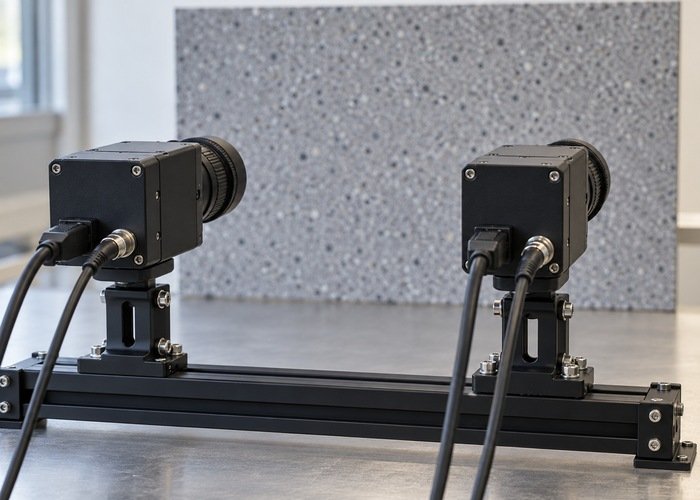
Identify the quantity before reading the encoding
Determine whether the topic contains depth, disparity, inverse depth or a display image. An encoding describes storage, and cannot establish the physical meaning of arbitrary producer data by itself. Read the producer’s documented units and invalid-value policy. Keep a native output record so a republisher’s metadata cannot become the only evidence of what the original values meant.
REP 118 defines canonical floating-point depth along the camera z axis in meters, and an alternative unsigned 16-bit representation in millimeters with zero indicating invalid depth. Apply that contract only when the producer follows it. Do not extend the convention to a proprietary image that happens to use the same element type.
Distinguish optical-axis depth from distance along an arbitrary viewing ray. On an off-center target, those quantities are different. A scale check based on an independently measured distance must compare equivalent geometry and reference points. The LiDAR and stereo integration overview provides broader context for the two sensing approaches without replacing the producer’s data contract.
Inspect pixels and buffer metadata together
The Image message definition carries encoding, dimensions, byte order, row stride and a byte buffer. Read all of them when decoding values. A consumer that assumes tightly packed rows or the wrong byte order can corrupt measurements in ways that should not be corrected with a scale factor.
Select a stationary, textured target region with valid depth, avoiding silhouettes and obvious holes. Save representative original values at known pixel coordinates and retain the validity mask. Record whether a later operation resizes or registers the image, because the same pixel index may no longer observe the same scene point after geometric processing.
Keep the original acquisition timestamp, optical frame and associated camera model. A correct unit conversion does not repair a wrong camera reference or a stale image pairing. Use the sensor clock-check workflow when comparing depth with another sensor during motion. Begin the unit investigation with a static scene to reduce that ambiguity.
Separate numeric casting from physical conversion
Draw the path through the driver, bridge, custom image node and final consumer. At each edge, write the incoming type, outgoing type, physical units and invalid-value transformation. Locate the single stage responsible for conversion. A cast can preserve a numeric value while changing its type; that is different from changing millimeters into meters.
The inspected cv_bridge implementation contains generic image type conversions and separate display conversions. Its ordinary same-channel bit-depth path does not inherently establish a depth-unit conversion. Inspect the exact API and branch used by your code. Requesting a floating-point image is not evidence that a millimeter quantity has become a meter quantity.
By contrast, the inspected depth_image_proc depth traits explicitly convert unsigned integer depth to meters with a 0.001 factor, while floating-point depth is already treated as meters. They also implement validity checks. This is a concrete implementation example to compare with the deployed code, rather than permission to add another conversion downstream.
For illustration only, a valid millimeter depth of 2000 represents 2 meters under the REP 118 contract. Casting 2000 to a floating-point value without rescaling does not produce 2. Conversely, dividing a value already expressed in meters introduces another error. Retain both sides of the conversion and its declared units instead of judging the result from a point-cloud screenshot.
Preserve invalid and special values
REP 117 assigns meanings to non-finite distance readings, including invalid measurements and out-of-range conditions. Check which cases the actual depth producer and consumer support. Do not convert every missing value into a finite zero-distance point merely because a numeric conversion routine needs an output.
Document what happens when floating-point invalid values enter an integer representation and when integer zero enters a floating-point representation. Also inspect overflow, rounding and saturation for the supported range. These behaviors belong in the conversion contract. A converter that produces plausible values for one target may still mis-handle holes or distant measurements.
Keep visualization separate from measurement. A color map or normalized grayscale image is useful for seeing structure, but it is not a substitute for the numeric depth topic. Save the original stream alongside any preview as described in the measurement recording guide. Avoid feeding an exported preview back into a geometric consumer.
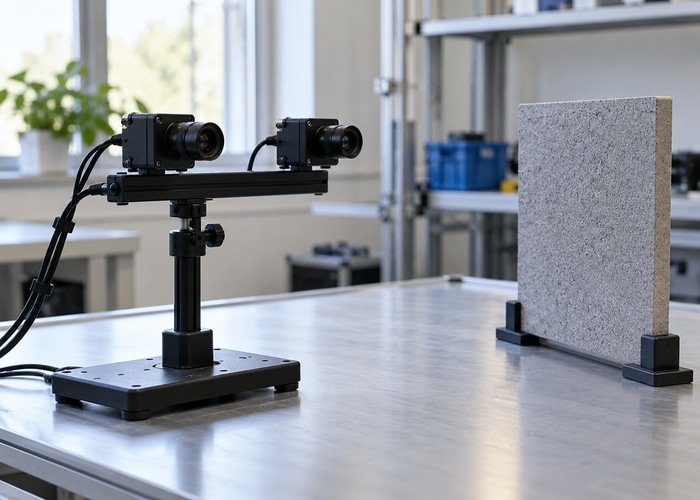
Use a unit-trace worksheet
| Stage | Record | Question |
|---|---|---|
| Producer | Quantity, units, encoding and validity rules | Is this metric depth at all? |
| Buffer decoder | Stride, byte order and sample coordinates | Are numbers decoded correctly? |
| Converter | Type cast, scale and invalid-value mapping | Where does physical conversion happen? |
| Consumer | Accepted representation and range behavior | Does it apply another conversion? |
| Reference check | Physical point, geometry and uncertainty | Are equivalent distances being compared? |
Validate the documented chain against an independent stationary reference, with the optical reference point and target plane identified. Compare more than one supported distance where feasible. Define acceptance criteria from application requirements and reference uncertainty before examining the results. A factor-of-1000 correction can resolve a unit error without validating stereo calibration or proving overall sensor accuracy.
Check the conversion with an explicit validity mask and a small set of retained samples, rather than reducing the whole image to an average. A scene containing holes can produce a misleading mean if invalid pixels are counted as real distances. Record how the region was selected and how its pixel coordinates correspond before and after registration. Keep the raw numeric export alongside the independent reference notes. If the producer changes output mode at runtime, repeat the contract check at that transition; a conversion that assumes the startup representation can become wrong even though topic names and subscriber connections remain unchanged.
Questions during integration
Does 32FC1 always mean meters?
It is the canonical representation for a compliant ROS depth producer, but an arbitrary floating-point image may contain another quantity. Verify the producer contract before interpreting it geometrically.
Should baseline or extrinsics be adjusted first?
First establish units, decoding and conversion. If a supported geometric discrepancy remains, use the calibration workflow rather than hiding a unit mismatch in a physical parameter.
What makes a useful review bundle?
Include native and converted samples, the worksheet, camera metadata, exact versions and independent reference observations. The reproducible support bundle guide helps make the first incorrect conversion identifiable and repeatable.