A LiDAR and IMU bag is useful for motion-aware processing only if it preserves the fields and clock relationships required by the intended consumer. Recording a cloud that looks correct in a viewer is not enough. Before a long capture, inspect the actual message layout, confirm per-point timing semantics, record the supporting context, and replay a short sample through the same processing path.
Per-point timing describes when individual measurements within a cloud were acquired. A single cloud header timestamp cannot automatically replace it. If a conversion discards those fields before recording, the bag cannot restore them later. The practical decision is therefore which topic and format to record, not merely which file-storage option to select.
This checklist is for teams preparing reproducible datasets for LiDAR-inertial processing. It complements the general point-cloud processing pipeline by examining what must survive acquisition, conversion, recording, and replay. It does not promise compatibility with an unspecified estimator or driver version.
Start with the consumer’s field contract
List the exact consumer version, expected cloud type, required field names, numerical types, time units, reference epoch, and whether point times are absolute or relative to a scan reference. Include any ring or line field used by preprocessing. Then identify the topic that actually supplies that contract. Similar field names do not establish equivalent meanings.
The FAST_LIO project’s integration notes illustrate why this matters: its documented processing path has format-specific timing expectations. Those examples include ROS 1-specific launch and message choices, so do not apply them unchanged to an arbitrary ROS 2 port. Read the preprocessing code and documentation for the exact consumer you will run.
Keep a small contract file beside the dataset. Record the driver commit, sensor model and firmware, configuration, message definition, and required transformations. If an adapter renames or rescales a timing field, document that operation explicitly. A later engineer should not have to infer whether a number represents seconds, an offset, or an absolute device clock.
Choose between custom clouds and PointCloud2 by evidence
A custom message may make its timing relationship explicit. One official custom-cloud definition contains a timebase and a point array. Its companion custom-point definition includes offset_time relative to that base. Confirm units and reference behavior from the pinned implementation before combining the values.
PointCloud2 is not inherently missing point timestamps. The standard PointCloud2 definition uses field descriptions and a binary data layout. The publisher can include timing fields, but the message type alone does not promise that it does. Inspect the actual fields array and representative points at the topic you intend to record.
The PointField definition specifies field names, offsets, data types, and element counts. A converter can preserve position and intensity while losing other information if its destination layout excludes those fields. Compare input and output schemas rather than relying on the converter’s successful execution or the viewer’s appearance.
| Candidate recording topic | Required inspection | Decision |
|---|---|---|
| Native custom cloud | Base time, point offsets, units and consumer support | Record when the intended consumer supports the pinned definition |
| PointCloud2 with timing fields | Actual field names, layout, values and reference semantics | Record when the full consumer contract is preserved |
| Converted position-only cloud | Which fields were removed or synthesized | Do not assume suitability for per-point motion correction |
Keep acquisition time, message time and bag time distinct
Write down three meanings separately: each point’s acquisition time, the cloud header’s timestamp convention, and the timestamp used to arrange recorded messages. These may come from different clocks or processing boundaries. A bag’s chronological message order does not prove that the sensor and IMU clocks are aligned.
Inspect the IMU stream independently. The standard IMU message definition provides a header plus orientation, angular velocity, linear acceleration, and covariance information. It does not establish how your driver timestamps those readings or aligns them to the LiDAR. Preserve the published values and document the driver’s timestamp convention.
Use the LiDAR and IMU clock-check guide for the wider synchronization investigation. Recording cannot repair an unknown clock offset merely by placing both topics in one file. Check startup, resets, and clock discontinuities in the sample, and retain the synchronization configuration as part of the dataset context.
Record the minimum complete dataset
Choose the native cloud and IMU topics explicitly. Include transforms and other supporting topics required by the consumer, and save relevant configuration files alongside the bag. Do not assume a live node’s private parameter state will be reconstructed from sensor messages. If configuration is recorded as a topic, verify that the required values are actually present.
The ROS 2 Jazzy rosbag2 reference covers selected-topic recording, inspection, playback, and simulation-time behavior. Check the installed command help before using version-specific options. Simulation time is a deliberate clock choice; it should not be enabled merely because the result is called a bag.
Inspect the recorder’s subscription endpoints before the main run. Use the ROS 2 QoS compatibility checks if a topic exists but recording receives nothing. A format-preserving topic that never reaches the recorder is still an incomplete dataset. Save startup diagnostics and verify that all required streams are present before extending the capture.
Run a short recording and replay equivalence test
Begin with a stationary segment and then, when safe and relevant, a controlled motion segment appropriate to the project. This is an illustrative trial design, not a documented customer dataset. Record the duration, scene, mounting arrangement, and which processing components are active. Stop normally so the recording can be inspected before a longer run.
Use bag inspection to check topic types, message counts, duration, and storage information. Then decode representative cloud messages from the saved data. Compare their field layouts and selected timing values with the live topic. Check early, middle, and late samples rather than verifying just the first message.
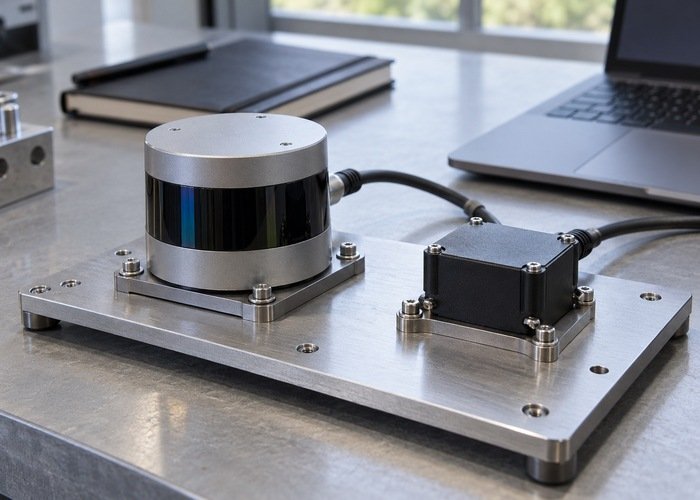
Replay into an isolated processing session with the intended message definitions installed. Match the consumer’s clock mode, topic names, frames, and configuration. Keep playback rate and other overrides documented. Successful playback transport is one check; successful parsing of the required point fields is another.
Compare live and replayed behavior at the input contract first. Confirm that the consumer sees the same schema, sensible within-cloud time progression, required IMU coverage, and no unexpected clock jumps. Do not declare equivalence solely because both runs produce a visually similar map. The SLAM workflow guide provides context for evaluating the later processing stages separately.
Before accepting a dataset, retain the short test’s field report, version list, configuration and replay command with the main recording. For supplier qualification, connect this evidence to the broader time-sync acceptance checklist. Field preservation and sensor synchronization should each have their own evidence.
Questions to resolve before a long capture
Must I always record a custom message?
No. Record whichever supported format preserves the intended consumer’s complete field contract. A custom cloud may be appropriate for one implementation, while a correctly populated PointCloud2 may be appropriate for another.
Can I recover missing point times from the cloud header?
Not generally. Reconstruction would require a validated acquisition model and sufficient preserved information. Do not synthesize offsets and treat them as measured timestamps simply to silence a preprocessing warning.
What is the minimum acceptance result?
A saved sample must retain the required point and IMU fields, documented clock semantics, supporting configuration, and demonstrated replay into the intended consumer. Establish that result first; then extend the LiDAR and IMU recording without silently changing the capture path.