A flickering LiDAR point cloud needs two separate tests: one for the data entering the display and one for the display’s retention behavior. A screen that repeatedly looks sparse does not, by itself, prove that the sensor missed measurements. First hold the scene still, count incoming clouds and points, and then change only how long the viewer retains them.
This distinction matters because a cloud is a time-bounded collection of measurements, while the picture on screen can contain one cloud or several overlapping clouds. A longer display history may make a scene look continuous even when fresh messages pause. Conversely, replacing the previous cloud immediately can make changing batches look intermittent despite ongoing reception.
Start with a simple stationary target rather than a moving vehicle or a complicated mapping stack. Keep the raw sensor topic available alongside processed outputs. The point-cloud processing guide explains the broader pipeline; this procedure isolates visual flicker before changing filters or replacing hardware.
Describe the symptom in a way another engineer can test
Replace “the point cloud flickers” with observable details. Does the whole picture disappear, do different patches appear in successive clouds, or does one surface change density? Does the message stream pause at the same moment? Record the topic, message type, fixed frame, display settings, sensor orientation, and the exact software versions. Save a short screen recording only as a companion to the data.
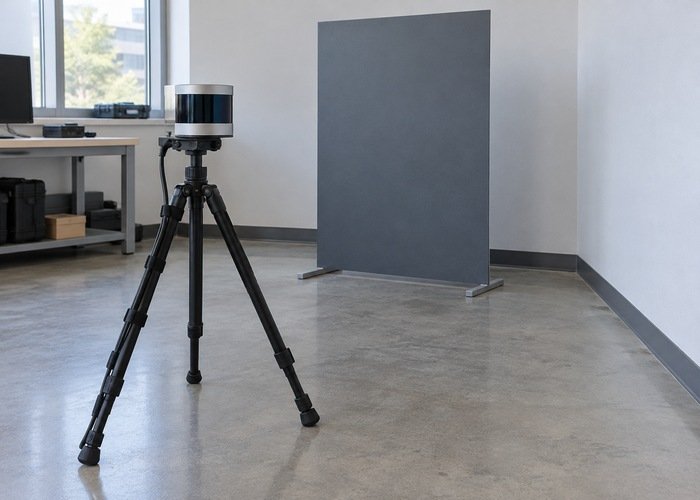
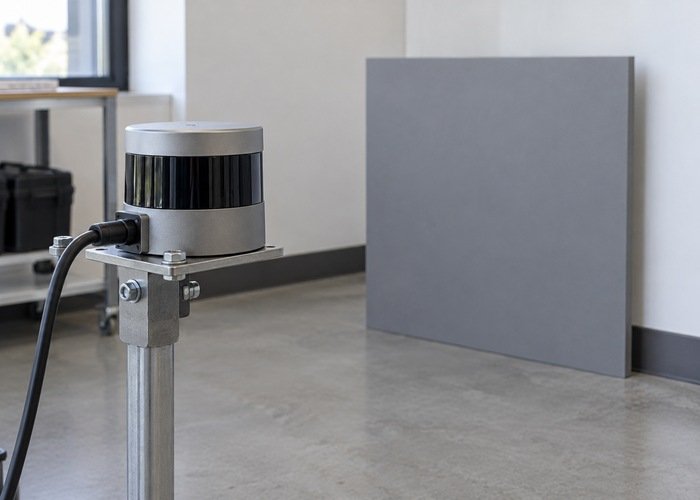
Choose a target that gives repeatable geometry: a matte board with a visible edge, a wall corner, or a static rack. Keep people and moving objects outside the measurement region. This is an illustrative test design, not a claim that a particular target material guarantees sensor performance. Avoid changing the target, sensor pose, and settings during the same comparison.
Weather and target effects belong to a different investigation. If the symptom follows reflective material, obscuration, or changing conditions, use the broader LiDAR measurement-error checks. A repeatable indoor baseline helps distinguish those scene effects from a display or batching symptom.
Test persistence without confusing it with fresh data
RViz exposes a retention control for point clouds. The Jazzy point-cloud display implementation defines Decay Time as the duration for keeping incoming points, with zero showing the latest points. Compare your installed version and preserve the original value before experimenting.
Run the same saved input with the original setting and a longer retention interval chosen for the test. Leave point size, color mode, topic, and fixed frame unchanged. If the longer interval reduces the visible flicker, you have demonstrated a display-history effect. You have not demonstrated that all expected measurements arrived or that the latest cloud meets the application’s needs.
Check freshness explicitly. Keep an independent message counter and observe timestamps while watching the display. A stable-looking accumulated image can remain on screen while new data slows. If the application controls motion or measures changing material, accepting an old-looking-continuous picture as a live-data test would miss the relevant requirement.
Inspect each message rather than counting screen frames
For each incoming cloud, record its time, point count, and whether it contains valid coordinates for the region under test. Keep raw and filtered counts separate. The PointCloud2 message definition describes dimensions, fields, and binary point data. A message’s presence is not the same as a useful set of valid points in the target region.
Distinguish a zero-point cloud from a populated cloud whose points are outside the current view, rejected by a downstream filter, or unusable for display. The PointCloud2 display source includes handling of invalid coordinate values. Record display status messages as well as the image, since rendering behavior can conceal differences in the input.
Use a lightweight counter or a small offline reader instead of printing complete clouds during the live trial. Terminal output can add workload and make the observation less representative. Preserve a short data sample so you can later calculate counts and inspect selected messages without loading the acquisition computer further.
Compare batching with transport evidence
If successive clouds cover different portions of a fixed scene, compare the aggregation interval and output format specified by the installed driver. Do not assume every message represents a complete spatial sweep. The measurement pattern and message assembly are model- and implementation-dependent. A display may expose that difference more clearly when it retains only the latest batch.
If clouds stop arriving, examine packet arrival and driver reception over the same interval. The packet-capture reference explains how to retain traffic for later inspection and report capture drops. Use the sensor stream’s actual interface and ports; unrelated network traffic is not evidence of a healthy LiDAR path.
A topic visible in the graph can still fail to deliver messages to a particular observer. Check subscriber QoS compatibility before interpreting an empty observer log as empty sensor output. Keep that test bounded: confirm reception with compatible settings, then return to the original display experiment.
| Observation | What it supports | Next check |
|---|---|---|
| Counts stable; longer retention smooths the picture | Display persistence contributes | Freshness and individual-cloud coverage |
| Cloud messages arrive but contain no target-region points | Message presence alone is insufficient | Raw coordinates, validity and filters |
| Packet and cloud pauses coincide | Upstream transport deserves attention | Capture completeness and receive evidence |
| Raw clouds stable; only processed output flickers | A downstream stage contributes | Filter rules and processing timestamps |
Reproduce the effect with one short saved trace
Record the input needed for the display, including transforms or other supporting topics where applicable. Replay the same trace with two viewer configurations. If the effect changes while the messages are identical, that comparison isolates a display contribution more cleanly than two separate live captures with different scenes.
Pin the driver checkout as well as the distribution. Read the driver change history when planning a controlled version comparison, but do not treat a release note as proof that it fixes your symptom. Keep the original build and repeat the smallest saved-input test after any update.
Set acceptance from the application, not the prettiest picture
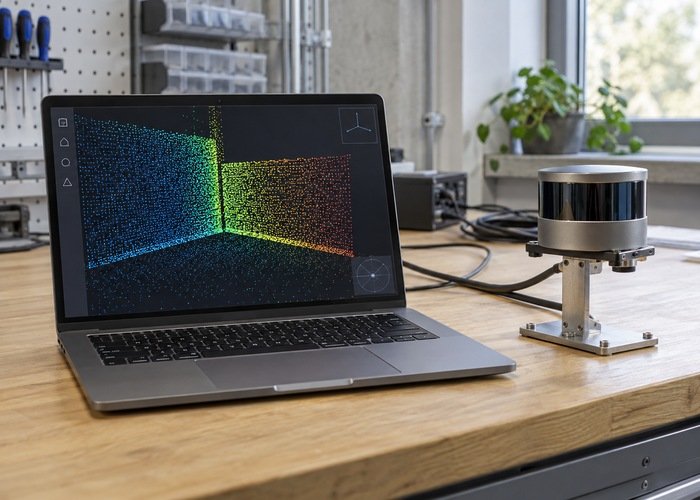
For mapping, evaluate whether the estimator receives the fields, transforms, timing, and usable points it needs. A viewer can look smooth while those requirements remain unmet. The LiDAR SLAM workflow provides context for why appearance and downstream usefulness are separate questions.
For material measurement, assess coverage of the actual measurement region over the intended interval. The material-flow measurement guide is relevant when point density and changing surfaces influence the decision. Do not compensate for missing current coverage simply by drawing older points for longer.
The acceptance record should contain the original and comparison display settings, message and point counts, timestamps, representative data, and the application requirement. State what remains unmeasured. That evidence supports a focused adjustment to retention, batching, transport, or processing without turning a screen symptom into an unsupported hardware diagnosis.
Practical questions about flickering LiDAR clouds
Does increasing Decay Time fix missing measurements?
No. It changes how long incoming clouds remain visible. Use it to test a display-history hypothesis, while an independent data check establishes whether fresh measurements are actually present.
Does an empty-looking screen mean an empty cloud?
No. Confirm point counts and selected raw coordinates. View settings, invalid coordinates, transforms, region selection, and downstream filtering can all affect what becomes visible.
When should I escalate the problem?
Escalate when the fixed-scene test reproduces the symptom and you can identify the boundary where counts, validity, or freshness change. Share the minimal trace and version list, not just a screenshot. This keeps a flickering LiDAR point-cloud investigation specific enough to reproduce and resolve.