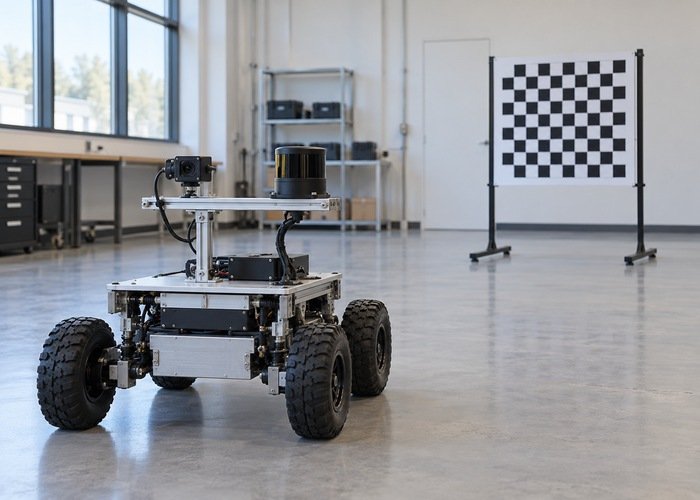
If LiDAR points align with a raw camera image but shift after rectification, check the pixel model before recalibrating the sensor mount. Raw distorted pixels and rectified pixels are different coordinate domains. A projection using the wrong intrinsic matrix, distortion treatment or rectified reference can move an otherwise correctly transformed point.
Keep the LiDAR-to-camera extrinsic transform fixed while tracing the image and CameraInfo pair. Identify whether the displayed image is raw, undistorted, rectified, cropped or resized. Then verify that the projection produces pixels in that exact domain. A topic name or a convincing central overlay is insufficient evidence of a matched camera model.
This workflow diagnoses a camera-model contract, not overall calibration accuracy. Record the camera configuration, lens setting, software versions and image processing chain. Development implementations cited below show what to inspect, rather than guaranteeing identical behavior in every installed distribution. Use stationary observations first so motion timing does not obscure the geometry.
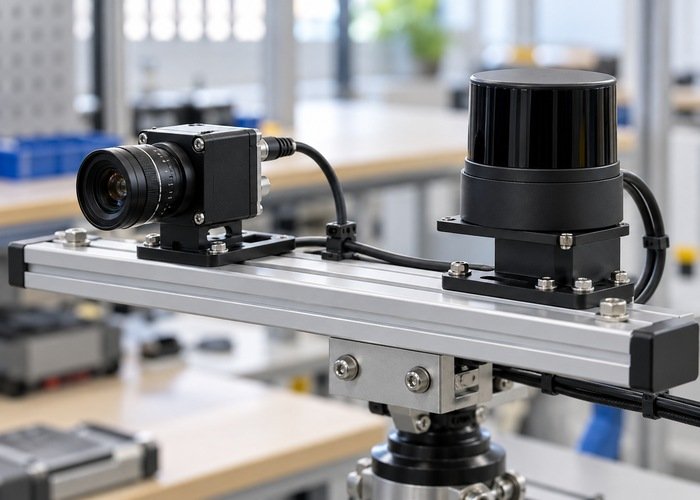
Save the image together with its model
Capture the exact image consumed by the overlay node and its associated CameraInfo message. Keep acquisition timestamps, optical frame IDs, actual image dimensions, calibration dimensions, distortion model, matrices, binning and region of interest. Preserve the original messages before exporting screenshots. A screenshot cannot reveal whether the projector used a model from another camera mode.
The ROS Image contract describes image dimensions, encoding and optical-frame metadata. Compare its frame with the paired camera information. Treat a mismatch as an unresolved interface problem, rather than compensating with a pixel offset. Check that a republisher has not changed image dimensions while retaining unrelated metadata.
Trace all processing stages between capture and display. A debayer operation changes color representation, while a geometric operation changes pixel locations. Record each independently. The camera and LiDAR calibration workflow provides the broader installation record; this audit isolates which pixel coordinate system the final overlay actually uses.
Distinguish raw intrinsics from rectified projection
The CameraInfo definition assigns K to raw-image intrinsics, D to distortion parameters, R to rectification and P to the processed image’s projection model. The focal lengths and principal point represented by P may differ from K. Its operational fields also describe binning and image region information.
For a raw-image overlay, use a projection path that includes the correct lens model and maps into raw distorted pixels. For a rectified overlay, use the corresponding rectified projection and coordinate convention. Do not apply raw distortion again to pixels already produced for a rectified image. Also avoid assuming that every distortion model can be treated with the same coefficient layout.
The official OpenCV calibration and reconstruction reference documents projection, undistortion and rectification operations. Select the operation that matches the captured stream and installed library version. A raw point projection and a rectified point projection can both be mathematically valid while referring to different image coordinates.
Inspect the library call used by the actual overlay. In the image_geometry development implementation, project3dToPixel uses the projection-matrix model and produces rectified pixels; separate methods handle rectifying raw points and images. Calling that method does not itself demonstrate that the displayed image belongs to the same rectified domain.
Hold the physical transform fixed during the first comparison
Check that the point enters the correct camera optical frame. The REP 103 optical-frame convention uses rightward x, downward y and forward z. A body-to-optical transformation is a separate concern from choosing raw versus rectified intrinsics. Do not modify both at once and then attribute an improved overlay to a single cause.
If optical axes are uncertain, follow the dedicated LiDAR-camera optical-frame diagnostic. Once that contract is established, retain the measured extrinsics unchanged for the pixel-model comparison. Save the exact transform and its authority with both candidate projections so a later reviewer can reproduce the difference.
Use a static scene with identifiable planar features and edges at several image positions. Avoid using a single distant point near the center as the acceptance test. Select observations where the LiDAR returns and camera feature describe the same physical surface, rather than a silhouette with foreground-background ambiguity. Record occlusion and visibility limitations explicitly.
Audit crop, binning and resolution changes
List the camera mode and every resize or crop applied after calibration. Record whether the metadata was updated by a library, driver or custom node. A crop can move the pixel origin; a resize can change the scale. Do not simply reuse a saved matrix because the lens and physical mount stayed unchanged.
Check how the deployed camera-model library accounts for region of interest and binning. Avoid applying the same adjustment manually if the library already incorporates it. Conversely, a plain matrix multiplication in custom code may bypass those adjustments entirely. Compare the effective model values used by the projector with the incoming messages, rather than assuming either path is correct.
Keep timing controlled as well. Even with the correct model, a moving platform can produce an inconsistent overlay when image and cloud epochs differ. Start with the sensor clock-check procedure if alignment changes with motion. Static and moving tests answer different questions and should be retained as separate evidence.
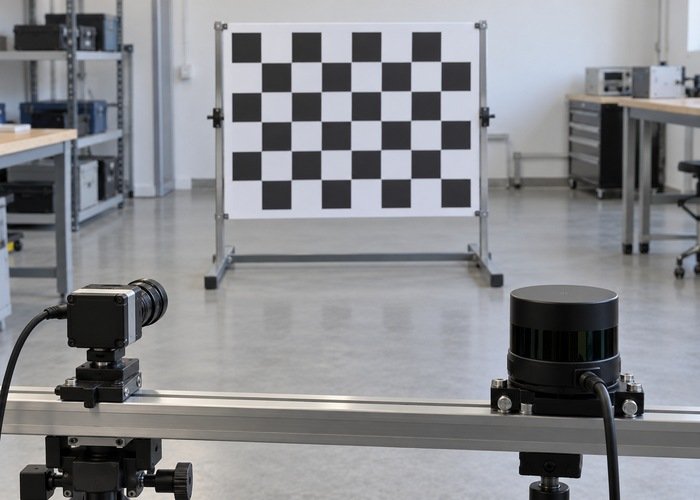
Use a comparison sheet to locate the mismatch
| Observation | Inspect next | Retain |
|---|---|---|
| Raw overlay works; rectified overlay shifts | Projection domain, P and rectification handling | Both images and their paired models |
| Center appears plausible; edge error grows | Lens model and distortion treatment | Distributed static features and residual direction |
| Mismatch begins after crop or resize | Effective dimensions, origin and model adjustment | Processing settings and updated metadata |
| Mismatch changes during motion | Acquisition-time pairing and transform timing | Original timestamps and motion segment |
| Points land behind or across incorrect axes | Optical-frame transform before pixel projection | Point coordinates and transform chain |
Change one identified model choice at a time and replay the same observations. Keep residuals separated by image region instead of reporting one favorable average. Define acceptable behavior from the application’s needs and reference uncertainty before inspecting the outcome. This procedure supplies no universal pixel tolerance or claim of achieved calibration accuracy.
Retain an explicit coordinate-domain label with every saved residual: raw distorted pixel, rectified pixel, or resized display pixel. Store the original point in the camera frame and the projection output before any display scaling. If the visualization rescales the image to fit a window, confirm that the overlay receives the same display transform rather than changing the camera matrix to match a screenshot. Keep that presentation step separate from the geometric model. This extra separation makes it possible to locate whether a shift entered during projection, image processing or final rendering, while preserving the same physical extrinsics for a repeatable comparison.
Common integration questions
Can K and the left part of P happen to match?
Yes, in some configurations. Equality in one saved file does not establish that they are interchangeable for every mode. Check the actual processed stream and projection operation.
Should extrinsic calibration be repeated immediately?
First resolve the image-model pairing while holding the physical transform fixed. If a supported geometric discrepancy remains, use the broader calibration procedure with independent evidence.
What should an integration review include?
Provide original image-model pairs, raw and rectified processing settings, distributed static observations, exact revisions and the unchanged transform. The reproducible support bundle guide helps package them. The sensor-fusion overview places the corrected camera contract within the complete robot pipeline.