If pointcloud_to_laserscan publishes a scan containing only infinity, first prove that valid points survive projection into the scan frame. The LiDAR may be producing a useful cloud while height, range, or angular filters reject every candidate. Changing the empty-bin representation can make the numbers look different without creating a single valid obstacle measurement.
Separate three observations: no scan messages, scan messages with no finite returns, and finite returns that a downstream consumer ignores. They have different diagnostic paths. Save one representative cloud, the effective converter parameters, the output scan, and any transform errors before altering the configuration.
The LiDAR data-format guide compares output types. This article concerns a specific conversion failure: locating the first projection gate that removes the expected points, without replacing a sensor that already supplies valid 3D data.
Confirm that the converter is processing input
The official pointcloud_to_laserscan README documents its input and output interfaces, parameters, and subscriber-dependent processing. Keep an output subscriber connected during the test and verify the resolved input topic. Namespaces and remapping can leave a correctly running converter listening to a different cloud.
Record the package revision and ROS distribution. Use the documentation and source matching the installed version; the linked rolling branch is a reference, not a guarantee about a binary from another release. Capture the parameter values actually loaded by the node rather than relying on defaults in a launch-file example.
If there are no output messages, inspect startup logs, input reception, endpoint compatibility, and transform availability before investigating infinity values. The ROS 2 LiDAR QoS diagnostic helps distinguish an absent subscription connection from a converter that receives and filters data. An empty visualization alone does not establish which case applies.
Inspect a cloud before interpreting its picture
Check message type, frame ID, dimensions, point count, field descriptors, and representative coordinate values. The PointCloud2 definition describes a binary point array with a declared layout. Decode the declared fields and strides correctly; a cloud displayed by one tool does not prove that another program reads the same bytes as intended.
Count usable coordinates near a known target, and distinguish them from invalid values, filtered points, and points outside the required region. Confirm the coordinate units reported by the driver. A display that automatically fits its view can hide a scale mistake, while the converter’s numerical range limits still exclude the points.
Freeze upstream filtering while testing. Record voxel filters, cropping, frame transformations, and any process that changes the cloud before conversion. The point-cloud processing guide provides a way to document those stages. Inspect the exact converter input rather than a similarly named raw topic elsewhere in the graph.
State which frame defines height and bearing
Write down the source frame and configured target frame, then inspect representative coordinates after the intended transform. A height window is meaningful only in its evaluation frame. Points above a sensor mount can have a different height relative to a robot base or a floor-aligned reference.
The ROS coordinate conventions distinguish body axes from camera optical axes. A body-style frame uses x forward, y left, and z up; an optical frame uses z forward, x right, and y down. Do not interpret optical-frame y as vertical height in a body-frame projection without the appropriate transformation.
Confirm that the required transform is available at the message time. A frame name alone does not establish its orientation, and changing a header label does not rotate the stored coordinates. Keep transform failures separate from clouds that transform successfully but have no points inside the selected height band.
| Boundary | Inspect | What a zero count suggests |
|---|---|---|
| Input coordinates | Usable x, y and z values in the actual input | Decode, upstream filtering or source-data problem |
| Transformed height | Target-frame z relative to the chosen band | Wrong frame, band or mounting interpretation |
| Planar range | Distance in the projection plane | Scale mismatch or range limits excluding the target |
| Angular coverage | Bearing and configured interval | Target outside the accepted scan sector |
| Output and consumer | Finite bins, frame, stamp and subscriber behavior | Separate conversion failure from downstream rejection |
Find the first gate that removes the target
The converter implementation initializes bins to an empty-return value, evaluates points against height, planar range and angle, and retains nearer accepted returns in their bins. Inspect that order in the installed revision. Count candidates after each stage in a small offline check or a clearly identified diagnostic build.
Set explicit height bounds that match measured target-frame coordinates. In the linked implementation, the default minimum height comes from numeric_limits<double>::min(), a positive value rather than the most negative double. Do not read that default as an unlimited lower bound. This implementation detail should prompt a parameter check, not an assumption that it explains every installation.
Next inspect planar range and bearing. Use a few representative target points to calculate whether they lie inside the intended limits. Check that angle limits and increments are meaningful, and preserve units. Avoid widening every gate at once: one justified change followed by a new count makes the result explainable.
Use a controlled target to test the projection
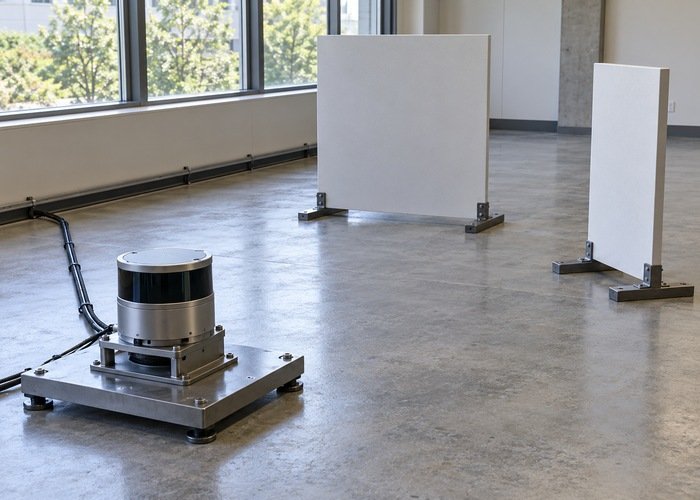
With the robot stationary in a clear test area, choose a simple visible target within the sensor’s documented operating conditions. Identify its points in the input, predict the approximate scan sector and range from the target-frame geometry, then inspect the actual output. The purpose is to make a testable prediction, not to claim that one target qualifies navigation.
Keep the target and raw input constant while changing only the suspected gate. If changing the height band restores finite returns, confirm that the restored points belong to the intended target rather than floor, ceiling, or unrelated structures. Record the previous and new parameters and the corresponding evidence.
Then test the required scene coverage. A narrow projection band can legitimately exclude overhanging geometry. The obstacle-height window guide discusses that broader coverage decision. Keep a diagnostic band used to find points distinct from the final application configuration.
Interpret infinity without inventing free space
The LaserScan message definition supplies frame, angle, range and timing semantics, including treatment of values outside valid range. Check what the consuming application expects. An infinity-filled scan does not demonstrate that the physical scene contains no obstacles; it may show only that no input point survived the configured projection.
Changing use_inf changes the representation of unfilled bins, not the existence of accepted points. Likewise, changing display persistence does not repair projection. Retain the output’s finite-bin count, frame and stamp, and verify that the intended subscriber receives the same scan you inspected.
If finite returns exist but Nav2 still shows no obstacles, continue with the observation-pipeline diagnostic. That is a later boundary. Close the converter investigation only when the expected target survives the intended gates and produces a reproducible output under the final configuration.
Should I replace the LiDAR when all ranges are infinity?
Not on that observation alone. Verify the raw input and projection gates first. Preserve sensor faults as a separate hypothesis when the device itself fails its documented checks.
Can I use a broad height band permanently?
Only if the resulting scan satisfies the application’s geometry and rejection requirements. A diagnostic setting that proves data exists can also admit unwanted floor or ceiling points. Validate the final selection against the actual task.