Before upgrading JetPack on a LiDAR robot, freeze the complete sensor compatibility matrix and prove a recovery path on the intended hardware. A successful operating-system boot is only the first check. The deployment decision also depends on LiDAR message contracts, camera capture modes, synchronization, application dependencies, and repeatable behavior under the normal workload.
Treat the upgrade as a controlled change between two identified configurations. Keep a working baseline, a candidate build, the same acceptance inputs, and explicit stop conditions. Do not combine a platform upgrade with a new sensor, revised calibration, and algorithm tuning if the goal is to understand which change affected the robot.
The GMSL and Jetson BSP compatibility guide addresses whether camera components fit a platform. This checklist concerns the later release decision: whether the entire installed sensing pipeline can move from its current software state to a tested candidate and recover if necessary.
Record what is actually installed
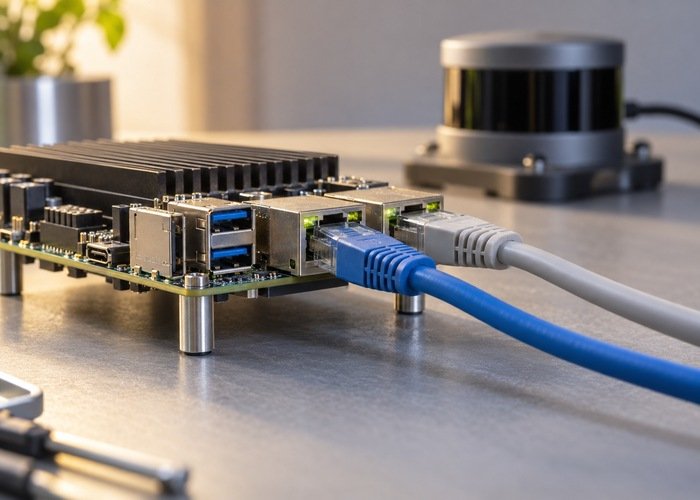
Create one baseline record for the physical test unit. Include the compute module and carrier revisions, storage and boot configuration, JetPack and Jetson Linux versions, kernel, device-tree overlays, camera modules, serializer and deserializer components, LiDAR model and firmware, SDK, ROS distribution, middleware, and driver commits. Capture local patches and build options as well as package names.
Archive the effective launch files, calibration files, network configuration, camera modes, and application parameters. A repository default does not prove what the running process loaded. Identify binary artifacts by digest and source builds by revision plus build instructions. Keep credentials out of the shared record and store any recovery secrets through the team’s existing secure process.
Read the version-specific Jetson Linux release notes for the baseline and proposed target. The linked release is a reference example, not a recommendation to install that version or a claim that it is the newest release. Convert applicable changes and known issues into named tests.
Build a matrix around interfaces, not marketing names
| Boundary | Record on both builds | Evidence required before release |
|---|---|---|
| Platform and boot | Module, carrier, boot components, storage, BSP, kernel | Repeatable boot and supported recovery procedure |
| LiDAR input | Firmware, SDK, driver revision, network and output format | Expected packets, fields, frames, and timing |
| Camera path | Driver, device tree, virtual channels, capture modes | All intended cameras work together in the application path |
| ROS and application | Distribution, middleware, libraries, consumer revisions | Correct reception and reproducible application output |
| Recovery | Preserved artifacts, instructions, required access | Demonstrated return to the accepted baseline |
Give each row an owner, a source of compatibility information, and a result location. An empty field is an unresolved dependency. A green camera row should name the tested modes and simultaneous streams; a green LiDAR row should identify the actual message format and consumer rather than merely saying that a visualization opened.
The ROS 2 target-platform reference distinguishes distribution-specific operating systems, architectures, and support tiers. Check the distribution you actually deploy. Successful compilation on a different combination does not establish the same support or test coverage for your robot.
Separate sensor compatibility from application compatibility
For LiDAR, confirm transport reception first, then driver publication, then every required consumer. Preserve point fields, frame identifiers, timestamp interpretation, and scan grouping unless a documented migration deliberately changes them. Use the publish-rate troubleshooting workflow when packet arrival and application reception disagree.
The official Livox ROS Driver 2 documentation describes its supported devices, build choices, configuration, and output options. Pin the revision relevant to the installed sensor. A driver supporting one model or output format does not establish compatibility for every LiDAR, and a library rebuild alone does not validate downstream consumers.
For cameras, record the capture API as well as the sensor mode. Test the path the application uses, including concurrent streams. NVIDIA’s GMSL virtual-channel framework reference is tied to a particular software and hardware context. Map its requirements to the actual module, carrier, drivers, and channel routing instead of assuming that a generic camera description proves interoperability.
Use replay to isolate software, then test the physical path
Run an accepted dataset through the baseline and candidate application configurations. Keep the input, playback behavior, calibration, and evaluation criteria fixed. Compare message acceptance, errors, output timing, and task-relevant results. Replay is useful for identifying a changed consumer or dependency without introducing a different scene on every run.
Then repeat with live sensors on the target hardware. Replay cannot establish that a physical camera link starts correctly, that a device reconnects after a power cycle, or that live acquisition has the expected clock relationship. The LiDAR and IMU recording checklist helps preserve the timing information needed for meaningful offline comparison.
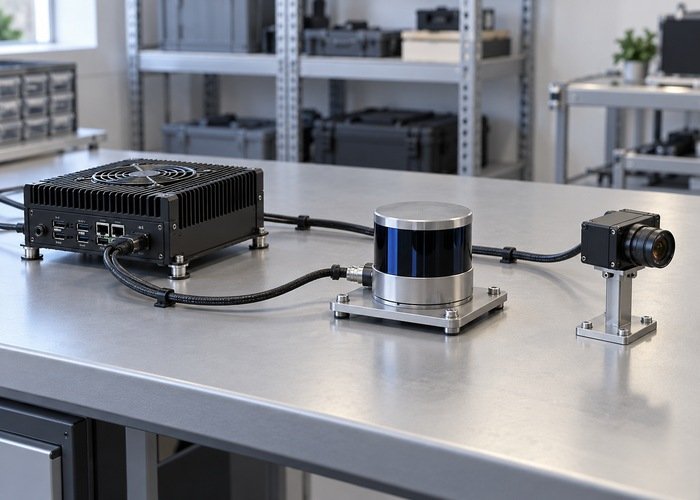
Test the normal combination of recording, visualization, perception, localization, and camera processing. Include startup, sustained operation, planned shutdown, and the recovery events required by the project. Define acceptable delays and failure behavior from the robot’s own requirements; there is no universal latency threshold that proves every integration safe to release.
Demonstrate recovery before approving deployment
NVIDIA’s software update documentation distinguishes update mechanisms and their release-specific constraints. Verify the supported path for the exact source and target configuration. Do not assume that reversing a package command restores boot firmware, partition layout, device trees, and application data together.
Preserve the accepted images, packages, configurations, calibration, and recovery instructions before changing the test unit. Exercise the documented recovery method on a suitable development unit with the necessary access. Record what was restored and rerun the baseline acceptance tests. An archived file is a recovery resource; a demonstrated restoration is stronger evidence that the resource is usable.
Require an explicit decision record: candidate accepted, candidate rejected, or blocked pending a named dependency. Attach baseline and candidate identities, test results, outstanding issues, and recovery evidence. Roll out through a controlled pilot according to the team’s deployment process, with a clear owner able to stop expansion when observed behavior differs from qualification.
Keep installation success separate from qualification success in the release record. If a candidate boots but one camera mode remains untested, leave that matrix row open. Record the evidence owner and the next experiment instead of treating an incomplete row as a pass. When a workaround is needed, document its operational cost, how it is enabled, and the condition under which it can be removed. This makes later maintenance possible without rediscovering why the configuration differs from a vendor example.
Questions to settle in the release review
Can a working point cloud prove the upgrade is ready?
No. It shows that one observation path works under those conditions. Validate timing and all required consumers, using the sensor clock checks when measurements cross device or host time domains.
Should a camera driver patch be tested separately?
Yes, when practical. Keep the patch identifiable and compare its effect against the same candidate build. If several changes must ship together, document that constraint and test the combined configuration rather than claiming the individual changes were isolated.
What should a supplier receive before confirming compatibility?
Send the proposed matrix, exact revisions, required capture modes, and acceptance conditions. For a Jetson carrier-board evaluation, request confirmation against the identified module and software stack. Ask for reproducible evidence and recovery assumptions before purchasing a larger deployment batch.