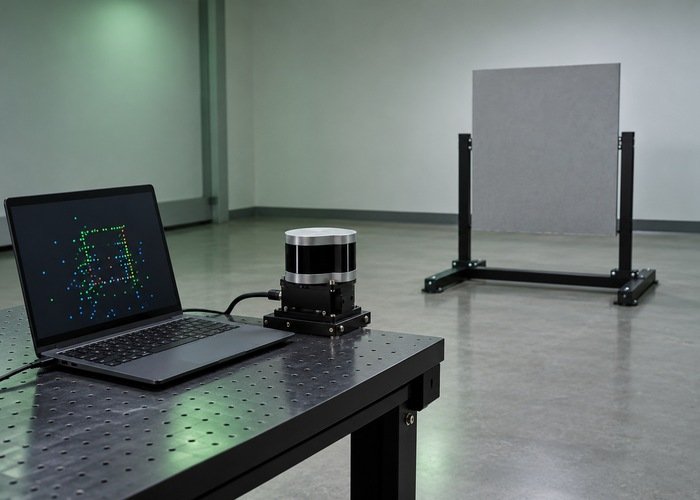
A PointCloud2 topic can publish correctly while Nav2 shows no obstacles because publication is only the first boundary in the observation pipeline. The costmap must subscribe to the right topic and type, receive compatible messages, obtain transforms at their timestamps, retain useful points, and project marking observations into the map you are inspecting.
Trace those boundaries in order using one stationary matte target. Preserve the effective configuration and compare the target in the raw cloud, the costmap frame, the sensor layer, and the master map. Stop at the first unsupported boundary instead of changing QoS, filters, and plugin settings together.
The 3D point-cloud navigation overview covers the broader role of volumetric observations. This procedure is for a narrower symptom: an apparently valid cloud never produces the expected occupied region. It is a diagnostic plan, not a robot safety or stopping-distance assessment.
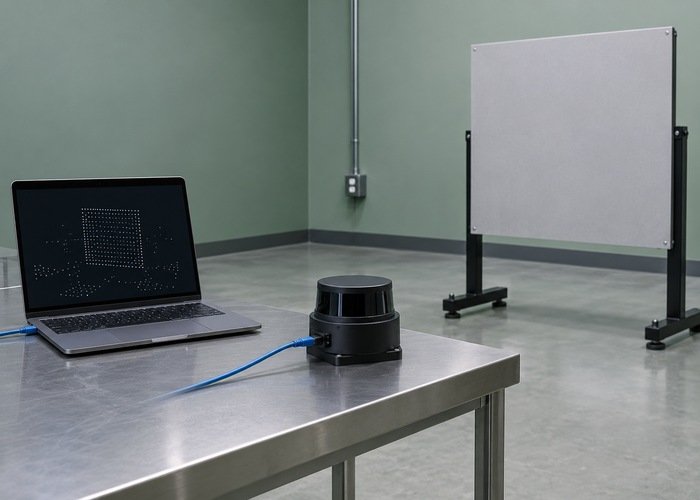
Write down the complete observation path
Record the driver topic, any conversion or filtering node, the final consumer topic, message type, frame ID, costmap node name, plugin list, and observation-source name. Include ROS distribution, driver revision, and Nav2 package version. Different launch namespaces can produce similar-looking topics that belong to different nodes.
The PointCloud2 definition describes a binary point layout, acquisition timestamp, and coordinate frame. Confirm that the cloud is populated and contains the fields the installed consumer expects. A topic of the right message type can still contain no usable xyz points.
Check which costmap the viewer displays. Local and global costmaps are separate instances, often with separate sources. A correctly updated local layer cannot be proven by watching the global map. Record exact topic names with leading namespace components rather than abbreviated names from a screenshot.
Verify the costmap endpoint, not only a diagnostic subscriber
Use node and topic introspection to establish that the intended costmap subscribes to the selected cloud. Compare publisher and subscriber policies with the ROS 2 Jazzy QoS compatibility reference. A separate viewer can use a different policy and therefore receive data when the costmap does not.
The LiDAR QoS diagnostic provides a focused endpoint worksheet. Use it when compatibility is the first failure. Do not infer that switching everything to reliable delivery is the correct repair; document which publisher and consumer policy pair the integration requires.
A short command such as ros2 topic info /your_cloud_topic --verbose can help inventory endpoints; check your installed command’s help for supported options. Pair that snapshot with actual message stamps and receipt observations. A subscription existing in the graph does not prove continuous reception, and an average rate can hide gaps.
If driver output itself is uncertain, use the publish-rate boundary checks before continuing downstream. Keep a lightweight observer so diagnostic load does not change the behavior you are trying to explain.
Confirm plugin activation and source registration
Inspect the effective plugin list and whether the costmap is active. Verify that the desired layer is enabled and that the source name appears in its observation-source list. Parameters for an unregistered source are not evidence that a subscription was created.
The Nav2 Jazzy voxel-layer reference distinguishes layer configuration from per-source topic, data type, and marking settings. Confirm those values under the correct instance and namespace. A PointCloud2 source should not be described to the layer as LaserScan simply because a previous example used a planar scanner.
Inspect startup logs for rejected configuration or inactive lifecycle state. The Jazzy obstacle-layer implementation shows the source subscription and transform-filter path. Match your package revision rather than copying a parameter from a different release.
A clearing-only source has a different role from a marking source. Confirm that the target is expected to contribute occupied cells through this source. Keep that role decision explicit, especially when several sensors feed the same costmap.
Test the transform at the acquisition time
Inspect the header of a message containing the target. Record its frame and stamp, then check the transform into the configured costmap frame at that time. A cloud can look correct in a viewer configured to its own sensor frame while the costmap cannot place it in its global frame.
The Nav2 transform setup guide explains the required frame relationships. Check spelling, prefixes, parent-child direction, and whether all participants use a consistent time basis. Recorded or simulated data needs transforms covering the corresponding timestamps.
If the transform filter reports old or unavailable data, preserve the relevant interval and logs. Increasing a queue merely allows more messages to wait; it does not create the missing transform. Likewise, a large tolerance should not substitute for identifying the clock or frame mismatch.
Locate the first point-retention failure
| Boundary | Useful evidence | Next decision |
|---|---|---|
| Driver emission | Populated cloud containing the test target | Investigate acquisition if target points are absent |
| Subscription | Intended node endpoint and compatible policies | Repair topic, type, or compatibility mismatch |
| Transformation | Target points in the costmap frame at the message stamp | Investigate frames or clock coverage |
| Observation buffer | Points retained by configured bounds | Inspect source filters and target geometry |
| Layer marking | Occupied cells or voxel columns | Inspect marking role and grid settings |
| Master map | Expected region in the selected costmap | Inspect combination and displayed topic |
The Jazzy observation-buffer source transforms and height-filters incoming points. Therefore, raw point count is not a direct count of retained observations. Check target-specific points at a known location instead of relying on the cloud’s total size.
Inspect distance bounds, transformed height, voxel coverage, and projection thresholds as separate gates. If a target falls outside the configured useful region, record that explanation before adjusting anything. When only an elevated target fails, narrow the next experiment to vertical coverage rather than restarting the entire pipeline.
Run one target through every stage
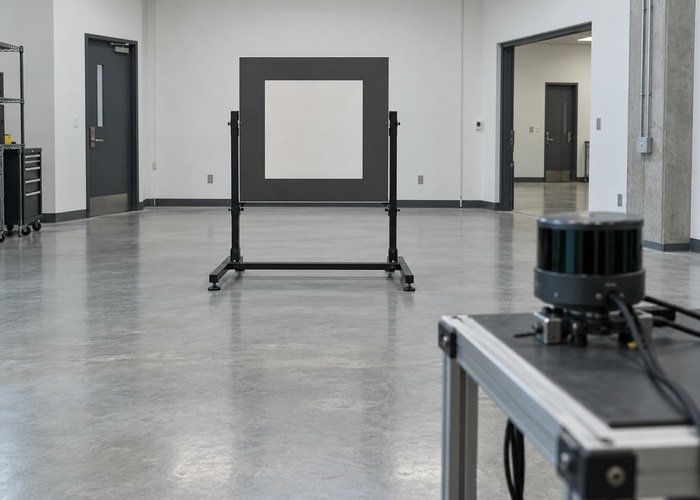
Immobilize the platform according to its test procedure. Start with an empty scene, place a matte rigid target inside the intended observation region, and preserve the sensor and map messages across placement. Document target position, size, and orientation so another engineer can repeat the test.
Compare the same time interval at each boundary. If raw points appear but the subscription remains unsupported, work on reception. If transformation succeeds but marking does not, inspect retained observations and layer configuration. If the layer marks correctly but the master map differs, investigate its contributors and combination behavior.
The viewer-versus-driver diagnostic addresses an earlier transport boundary. Keep its evidence distinct from this costmap trace: a working vendor viewer is not proof of a Nav2 observation, and a working ROS viewer is not proof of a particular costmap subscription.
After marking works, remove the target and run a separate clearing test. Retain the effective configuration, node identities, package revisions, logs, recordings, and the first failing boundary. This produces a reproducible repair decision rather than a collection of unexplained parameter changes.
Frequently asked questions
Does a visible PointCloud2 topic prove Nav2 receives it?
No. Confirm the intended costmap endpoint, compatibility, activity, and actual reception. A graph entry or another subscriber is incomplete evidence.
Why does the cloud look right in its own frame?
Displaying points in their original frame avoids the transform that the costmap needs. Check the costmap-frame transform at the cloud’s acquisition time.
Should I increase all filters and ranges?
Locate the first gate that excludes the measured target, then change one justified value. Broad changes can hide the original fault and admit unwanted geometry.
What evidence makes a support request useful?
The exact software and hardware identities, effective source configuration, message header and field contract, target dimensions, bounded recordings, and the first unsupported pipeline stage.