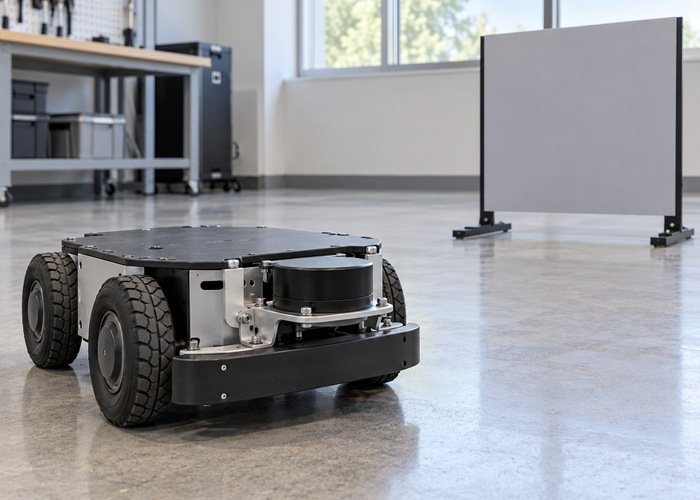
When a 2D LiDAR sees the robot’s own body, bound the rejection region using measured geometry and compare raw and filtered scans at nearby external targets. A footprint filter can remove selected returns, but it cannot recover space hidden behind a bumper, bracket or payload. Making the scan look clean is not enough to validate obstacle sensing.
First prove that the suspected returns belong to the robot rather than a nearby object, a transform error or a visualization artifact. Keep an untouched input topic and identify the filter implementation and version. A parameter called radius or footprint does not establish the shape or frame of the region actually rejected by that implementation.
The LiDAR data-format guide explains the message boundary. This workflow addresses a narrower decision: how to reject confirmed self returns without silently discarding external objects that the navigation or monitoring application still needs.
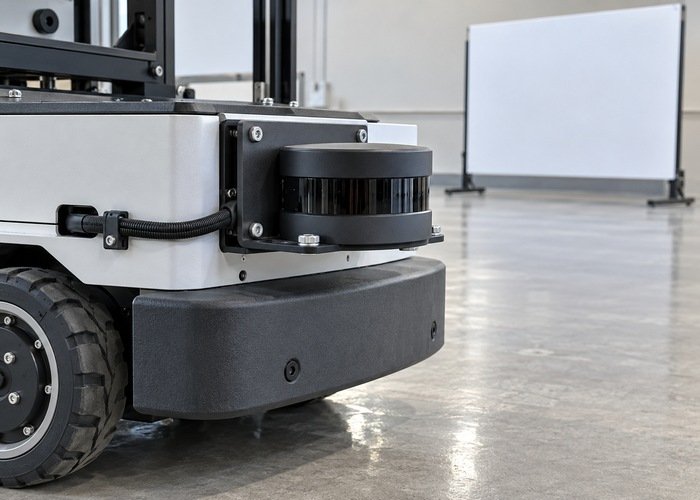
Save the raw scan and mounting baseline
Record sensor model, firmware, driver revision, filter package revision, launch arguments, scan topic, frame ID and mounting transform. Include the installed bumper, wheel covers, brackets and payload. A filter accepted on a bare platform may reject the wrong region after the mechanical configuration changes.
With the robot stationary, identify suspect scan indices and bearings and compare their reported distances with measured body surfaces. Repeat a controlled observation with external test targets repositioned while the robot remains fixed. Describe what changes with the target and what remains attached to the body geometry; neither pattern alone proves a cause without the surrounding evidence.
The LaserScan definition specifies angular fields, range limits and scan timing. Preserve the original range array and metadata, including invalid values. Do not export only a screenshot or a list of finite ranges, because that can lose the indices needed to compare the filter’s decisions.
Inspect the exact plugin and rejection shape
The linked rolling LaserScanFootprintFilter implementation projects a scan into base_link, retains point indices and replaces selected original ranges with NaN. Its inclusion check uses x and y bounds from minus to plus inscribed_radius. That is an axis-aligned square check in that implementation, not a radial-distance test or an arbitrary robot polygon.
Read the installed revision before applying this observation. A different plugin, patch or release can implement a different envelope or parameter set. Name the type and source revision in the acceptance record. Do not assume that a costmap footprint file automatically controls this scan filter.
The official footprint-filter example shows a plugin declaration and its parameter structure. Treat it as a configuration example, not a recommended dimension for the current robot. Record the loaded value and the resulting geometric bounds in physical units.
| Evidence | Question it answers | Unresolved risk if omitted |
|---|---|---|
| Raw scan and indices | Which original returns changed? | A clean display hides excessive rejection |
| Plugin and revision | Which shape and invalid-value behavior apply? | A familiar parameter name is interpreted incorrectly |
| Mounting transform | Where are points relative to the filter origin? | An offset region removes the wrong observations |
| Near-target comparisons | Are required external objects retained? | Body removal also creates a useful-observation gap |
| Consumer check | How are rejected bins handled downstream? | Invalid ranges are treated as evidence of clear space |
Confirm the frame before choosing a bound
Write the source scan frame, the transformation used by the plugin, and the rejection-region origin. Inspect representative points after transformation. A LiDAR mounted away from the body origin does not share that origin simply because both frames are attached to the same rigid robot.
The ROS coordinate conventions provide body axes and units. Compare left, right, front and rear measurements in one stated frame. A square expressed around the base origin can cover different scan bearings and distances when the scanner is offset.
The official tf2 time tutorial distinguishes a timestamped request from a latest transform. Preserve transform failures and startup timing rather than assuming every missing filtered scan is a geometric rejection. Use the TF extrapolation diagnostic when the filter cannot obtain the required relationship.
Check that one authoritative transform chain represents the real mounting. Renaming the scan frame without transforming its values does not move points into the intended envelope. Likewise, changing a filter bound to compensate for a wrong mounting transform leaves the underlying coordinate problem unresolved.
Choose the smallest justified rejection region
Identify the confirmed body-return locations and the geometric limits of the selected plugin. If one envelope cannot reject the body without removing required external observations, reconsider mounting, occlusion or the appropriate documented filtering approach. Do not keep expanding a bound until every unwanted-looking point disappears.
Record the reason for each margin. Mechanical tolerance, mounting repeatability and operating configuration can matter, but a margin should be justified by evidence and application requirements. Avoid copying the largest body dimension into a parameter whose implemented shape is different from the actual body.
Keep the self-return rejection region separate from the robot’s navigation footprint and any protective or monitoring zone. These serve different purposes. A software region used to delete measurements should not be described as a collision-avoidance envelope or proof that the remaining scan covers every necessary obstacle.
Challenge the bound with external targets
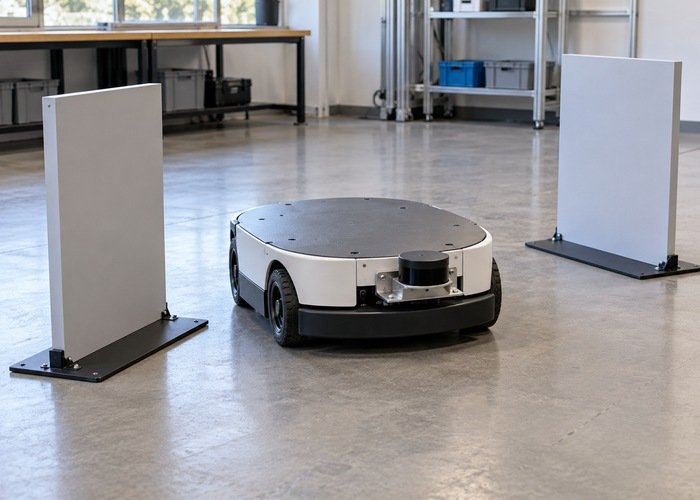
Use suitable supported targets at documented front, rear, side and corner positions while the robot remains stationary through the commissioning procedure. Include positions near the candidate rejection boundary and relevant to the scan plane. Keep people outside the test area and never use a person as a sensing target.
For each position, retain the raw return, transformed point, filter decision and downstream observation. If a target is absent from the raw scan, the filter cannot restore it. Record that as a visibility limitation rather than increasing rejection or treating the missing measurement as free space.
Compare the same input with the candidate filter enabled and with an untouched parallel diagnostic path. Avoid changing several upstream filters at the same time. The Nav2 observation-pipeline checks help locate a later rejection when the filtered output still contains the expected target.
Validate downstream interpretation and recovery
Confirm that the intended consumer receives the filtered topic and interprets invalid ranges appropriately. The QoS diagnostic separates an output connection failure from geometric filtering. A filter process running without errors does not establish that navigation uses its output.
Include startup, transform availability, configuration reload and required payload configurations in the acceptance sequence. Preserve the behavior when filtering cannot complete; do not silently substitute a different topic or assume the last displayed scan is current. Define project-specific acceptance criteria before inspecting the candidate result.
Keep raw and filtered evidence, effective parameters, physical measurements, transform context and the decision record in a reproducible support bundle. Include any remaining blind sector or rejected external target so the next engineer sees the limits of the accepted configuration.
Can a footprint filter remove an occlusion?
No. It can reject measurements under its implemented rules. It cannot reveal a target hidden from the sensor by the robot body or another object.
Does inscribed_radius always mean a circular filter?
No. Inspect the implementation and revision. The linked source uses coordinate bounds that describe a square; another plugin may differ. Validate the effective geometry rather than relying on the parameter’s name.