A useful LiDAR technical support bundle lets another engineer identify the failing boundary, reproduce the conditions, and compare the observed result with a clear expectation. Start with a short symptom statement and a small, relevant evidence set. A large archive without version identities, clock context, or reproduction steps often creates more questions than it answers.
Keep the bundle self-contained but bounded. Describe the physical connections, exact software revisions, effective configuration, and a short capture covering the symptom. Include what worked and what failed under the same conditions. Remove credentials and unnecessary identifying information before sharing, while preserving the relationships needed to understand the network and sensor pipeline.
Choose a diagnostic boundary before collecting everything. For example, the viewer-works but ROS-has-no-data workflow separates vendor-tool reception from driver and subscriber behavior. The support bundle should show where those observations were made rather than assuming that one working viewer validates the entire system.
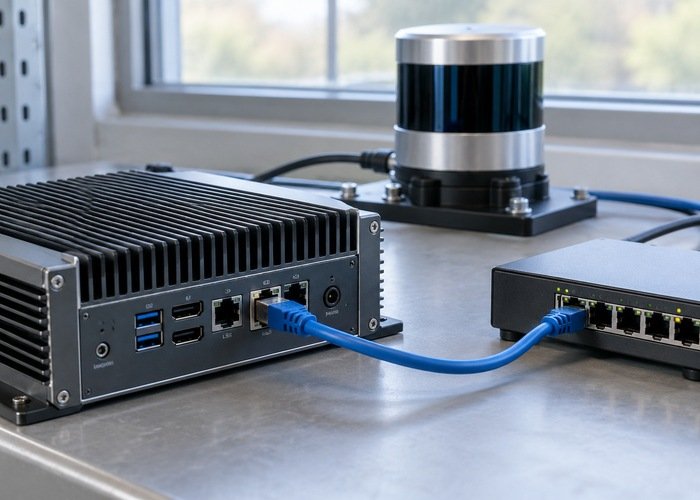
Lead with one reproducible symptom
Write the expected behavior, observed behavior, and trigger in separate sentences. Identify the sensor, relevant topic or interface, and the process that makes the observation. State whether the problem occurs at startup, after a reconnect, during sustained operation, or only with a particular consumer. Report intermittent behavior honestly without inventing a precise frequency.
Use an illustrative structure such as: the driver starts after a cold boot; the intended subscriber should receive clouds; packets are visible on the sensor interface but the subscriber reports no messages. This is a template, not a diagnosis. Replace every observation with evidence from the actual run and leave unknowns marked as unknown.
Record the smallest repeatable sequence that preserves the failure. Include prerequisites, launch order, relevant commands with secrets removed, and the event that starts the capture interval. Preserve a comparison run when available. A screenshot can orient the reader, but text logs and configuration are easier to search and compare.
Map the hardware and software boundaries
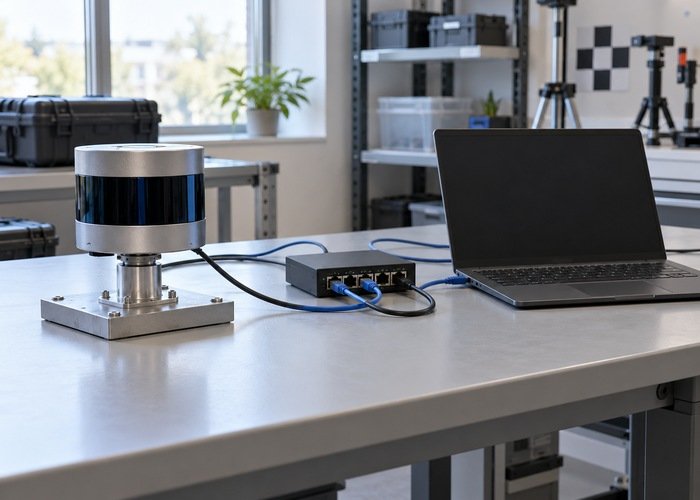
Describe sensor-to-host connections, switches or adapters, dedicated versus shared network interfaces, and any container or virtual-machine boundary. Use consistent neutral aliases for devices and addresses in the shared copy. Preserve which endpoint belongs to which subnet and which interface receives the packets; removing those relationships can make a network problem impossible to analyze.
Record model and hardware revision, firmware, operating system, kernel, ROS distribution, middleware, SDK revision, driver commit, local patches, and consuming application revision. The official Livox SDK 2 repository provides context for the SDK layer, while the ROS Driver 2 repository documents its driver-specific build and configuration paths. Use the repositories relevant to the installed equipment rather than treating these examples as universal requirements.
Include both saved settings and evidence of the effective settings loaded by the running process. A launch override, environment variable, container mount, or workspace overlay may select a different file than expected. For ROS 2 reception problems, preserve offered and requested policies using the QoS mismatch checklist; matching topic names alone is insufficient context.
| Bundle item | Keep | Remove or restrict before sharing |
|---|---|---|
| Summary and steps | Expected result, actual result, trigger, observation point | Customer names and unrelated operational history |
| Version record | Model, firmware, source revisions, build options | Unneeded serial numbers and private repository access tokens |
| Configuration | Effective values and consistent network aliases | Passwords, keys, credentials, unrelated endpoints |
| Captures and logs | Bounded interval, timing context, capture method | Unrelated traffic and unnecessary personal or site data |
| Acceptance note | Exact replay or live procedure and success condition | Unsupported conclusions about cause or product defects |
Collect bounded evidence at the failing layer
Choose packet capture when the question concerns host reception, transport addresses, packet timing, or loss before the driver. Choose driver logs and ROS recordings when the question concerns decoding, publication, or consumer input. Collect both only when the boundary between them is relevant. State what each artifact can and cannot demonstrate.
The official tcpdump manual describes capture filters, capture limits, snapshot length, and reporting of capture statistics. Select the intended interface and a narrow justified filter. Record the command and whether packets were truncated or capture drops occurred; a missing payload may reflect the collection method rather than the sensor.
Keep the interval long enough to include the trigger and observed failure, but avoid an unbounded capture of the entire deployment network. Obtain the access required by the team’s existing process. Treat raw packets as potentially sensitive even when payloads appear technical; device identifiers, addresses, site details, or unrelated traffic may still be present.
For message-level evidence, the official ROS 2 recording and playback tutorial shows how recordings are inspected and replayed. State the ROS distribution, storage format, topics selected, recording command, and playback conditions. Verify that the shared archive includes the files needed to open it and that the intended messages are present.
Preserve timing meaning alongside timestamps
Explain whether a timestamp represents acquisition, packet receipt, driver publication, or a later processing event. Record its unit, clock domain, and the source of any clock synchronization. A column called time is not enough to compare two devices or two layers. If the clock relationship is unknown, say so explicitly.
Use the LiDAR, camera, and IMU clock checks to frame cross-device observations. Preserve per-point timing and associated IMU data when they are relevant, following the recording checklist. Avoid exporting only a final image of a cloud when the investigation requires its original message fields.
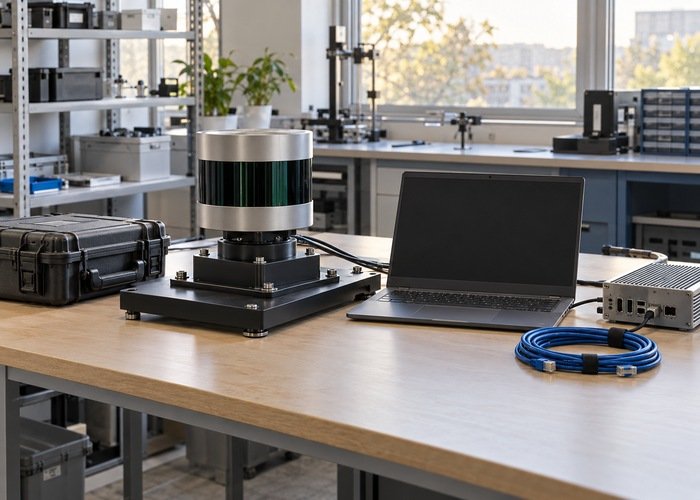
Align logs, packet captures, and recordings with a documented event visible in the relevant artifacts. Do not silently shift timestamps until plots line up. Keep the original evidence and document any derived transformation. That separation allows another engineer to challenge the alignment without losing the underlying observations.
Make the shared copy reproducible and reviewable
Keep the original evidence in the team’s restricted storage and prepare a separate sanitized copy. Apply consistent replacements across topology notes, configuration, logs, and capture descriptions. Do not blindly alter binary captures in a text editor. Where safe sanitization would destroy essential evidence, use an approved restricted transfer and state the remaining sensitivity.
Add an index listing each file, its purpose, capture conditions, and any limitations. Include file digests to detect accidental changes during transfer, plus the exact sequence needed to inspect or replay the evidence. Verify the archive from a clean extraction location before handing it over. A colleague should not need an undocumented path on the original workstation.
Use a structured report like the context encouraged in GitHub’s issue-writing guidance, but choose the sharing channel appropriate to the sensitivity of the data. Preparing a bundle does not imply that private captures belong in a public issue. Keep hypotheses separate from observations and identify which additional experiment would distinguish competing explanations.
Agree on what would resolve the case
Define the acceptance condition before another engineer proposes a fix. For a reception problem, distinguish packet arrival, driver publication, subscriber receipt, and application use with the publish-rate workflow. The resolution should demonstrate the required boundary under the same reproduction conditions, not merely remove one error message.
Should every available log be attached?
No. Start with evidence relevant to the stated failure and list what else can be collected. Smaller, well-described artifacts are easier to inspect and reduce unnecessary disclosure.
Is a public issue with a similar symptom proof of the cause?
No. Use it to identify a possible test or configuration question. A matching title does not establish matching hardware, software revisions, clock behavior, or root cause in the current system.