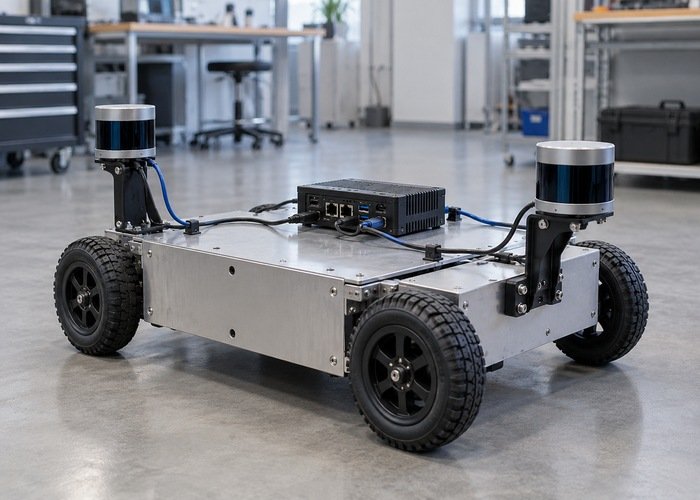
Two Ethernet LiDARs connected to separate host ports need more than two working cables. Build an address plan, make the intended route and receive binding explicit, then verify each sensor alone before operating both. Separate physical ports do not automatically prevent address ambiguity, receive-port conflicts or confusion between point clouds.
This checklist is for a robot or industrial computer with two sensor-facing network interfaces. It helps you decide whether a direct dual-port layout is understandable and repeatable on your actual host. It does not assume that every sensor supports the same topology. Start from the model-specific interface documentation and your application requirements, then use the industrial LiDAR commissioning checklist for the broader physical installation.
Keep the commissioning test stationary and separate it from autonomous motion. Label the sensors and cables physically using your normal asset-identification method. Save the current network configuration before making a change. You should be able to return to the single-sensor baseline if the paired configuration behaves unexpectedly.
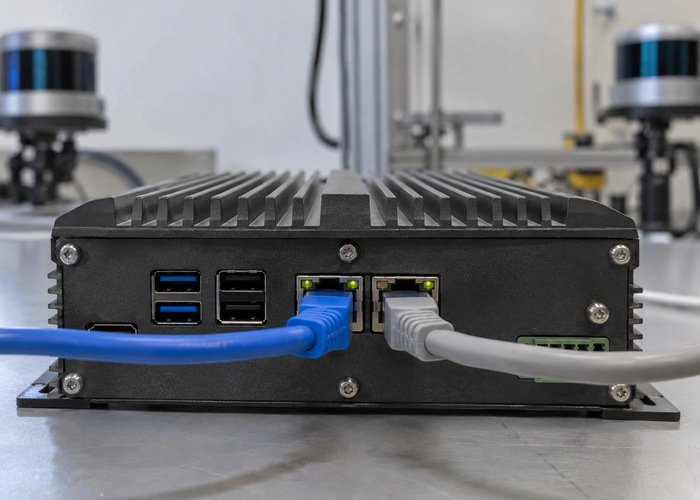
Draw the physical and logical plan together
Prepare one row per sensor with its asset label, device address, cable, host interface, host address, intended receive ports, topic and frame. Also record the source of each value: measured on the host, read from the device configuration or required by the driver. This prevents a remembered example address from becoming an undocumented deployment assumption.
The official SDK configuration reference is an example of why device-side and host-side network settings must be considered together. Use the correct model and SDK version; do not transfer a configuration field merely because its name looks familiar.
Decide how the host will distinguish the two paths. Separate non-overlapping networks can be easier to reason about when the devices permit that configuration. Where addresses or subnet settings cannot be changed, the topology may need a documented advanced routing or isolation design. Treat that as an engineering requirement to verify, rather than expecting the second connector to solve it automatically.
| Item | Sensor A | Sensor B | Validation question |
|---|---|---|---|
| Physical path | Recorded cable and host port | Recorded cable and host port | Can another engineer identify each connection? |
| Address plan | Device and host addresses | Device and host addresses | Is the destination path unambiguous? |
| Receive path | Local binding and ports | Local binding and ports | Can both receivers coexist? |
| ROS identity | Topic and sensor frame | Topic and sensor frame | Can the consumer distinguish the measurements? |
| Acceptance evidence | Single-sensor baseline | Single-sensor baseline | Does paired operation preserve both baselines? |
Check routes before changing driver parameters
Inspect the host’s actual addresses and route table after both interfaces are connected. The ip-route reference documents route inspection and route lookup. Query the route to each device separately; record the chosen interface and source address instead of relying on the order in which cables were plugged in.
ip -br address
ip route
ip route get SENSOR_A_ADDRESS
ip route get SENSOR_B_ADDRESS
These are inspection examples, not a universal configuration recipe. Replace the symbolic addresses with the actual deployment values. If both lookups choose an unexpected interface, stop and understand the address plan before adjusting ROS topics. A software namespace cannot repair a packet that is sent through the wrong network path.
Persistent network settings also need review. The systemd network reference documents one Linux network-management approach, but your host may use a different manager. Record which component owns configuration and verify the settings after a clean reboot. Avoid conflicting manual and managed configurations that happen to work only until the next restart.
Test each sensor with the other disconnected
Establish the first sensor’s baseline with the second sensor disconnected or otherwise isolated according to the device instructions. Record a short point stream, socket state and driver log. Repeat for the second sensor on its intended host port. Use the same test duration and scene so paired-operation changes are easier to notice.
Then swap only one known-good component when investigating a failure. If a problem follows the cable, that points toward a different branch from a problem that follows the host port or sensor configuration. Do not swap sensors, addresses, cables and launch files together; the resulting success or failure will not identify a cause.
A sensor that fails alone should be resolved before you tune the dual-sensor arrangement. This keeps the second device from becoming a distraction. Use the ROS point-cloud setup guide to verify the basic output format and visualization layer, while keeping the single-sensor configuration as a saved reference.
Check whether the receive paths can coexist
When both sensors operate, inspect the receiver processes and local sockets. The ss manual provides socket-inspection options. Compare observed bindings with the driver’s design: one process may handle multiple devices, or separate instances may require independent settings. Do not assume that launching the same command twice is a supported multi-device configuration.
The official ROS driver documentation describes per-device configuration and a multi-topic option for supported devices. Verify the installed revision and intended message output before adapting it. A setting that separates publications does not by itself guarantee independent host network paths.
For each incoming stream, check which sensor produced it. Temporarily present a stationary test object to one sensor’s view while keeping the other scene unchanged. Label this as a commissioning observation, not a measurement-accuracy test. The purpose is to confirm identity before downstream fusion makes the clouds harder to distinguish.
Keep topics and frames distinct
Record the resolved topic names and message types with ROS introspection. The official topic tutorial explains endpoint inspection. Multiple publishers on one topic may be intentional, but the consumer must understand the design; two clouds with ambiguous identity are a poor basis for debugging.
Measure each sensor’s mounting transform rather than copying the first sensor’s value to the second. ROS REP 103 provides coordinate conventions. A rear-facing or rotated sensor needs the correct orientation in the frame relationship, not an arbitrary topic rename to make the display look plausible.
Review time alignment as a separate requirement. Independent ports do not establish a shared clock. Use the LiDAR time-synchronization checklist before fusing measurements from a moving platform. First confirm both streams are individually identifiable; then assess whether their timestamps support the application.
Repeat the paired test under the intended workload
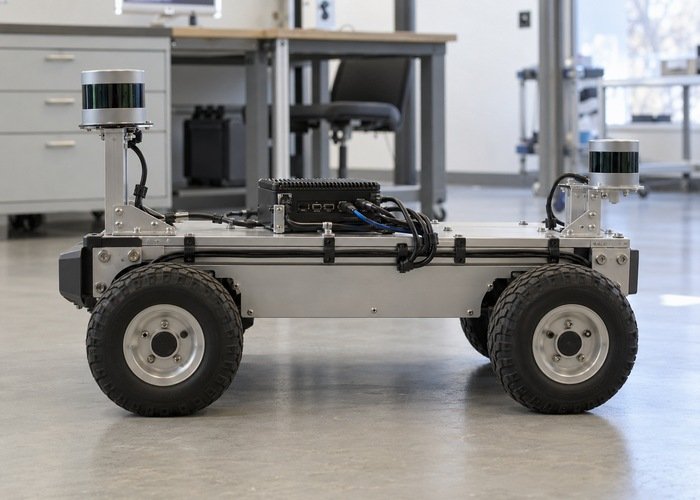
Bring both sensors online with the normal logging and processing workload. Observe per-stream reception, message rate, CPU and storage behavior. Keep a sensor-only run and a paired run as separate records. The acceptance criteria should come from the project’s sensing and timing requirements, not an invented universal loss threshold.
Restart the application and perform a clean host reboot before calling the layout repeatable. Confirm that the same interfaces, addresses, bindings, topics and frames return. A configuration that depends on a particular launch order or an unrecorded desktop setting needs further work before field deployment.
For robotics LiDAR integration, keep this address-and-identity worksheet with the mounting and software records. When contacting LidarStar about a two-sensor requirement, provide the intended host topology, model requirements, message format and workload. That makes the question concrete without assuming a universal dual-port recipe.
Frequently asked questions
Do separate Ethernet ports guarantee separate data streams?
No. Addressing, routing, receive bindings and publication identity still need to be verified on the actual host.
Can both sensors use example addresses from a quick-start guide?
Only when the documented topology makes those addresses unambiguous. Build an explicit plan and confirm each path rather than copying the same example twice.
Should I combine the clouds during the first test?
Keep them independently observable first. Combining streams too early can hide which device or receive path failed.
What is the strongest handoff evidence?
A saved address plan plus single-sensor and paired test records, exact configurations, resolved topics, frames and a reboot check another engineer can repeat.