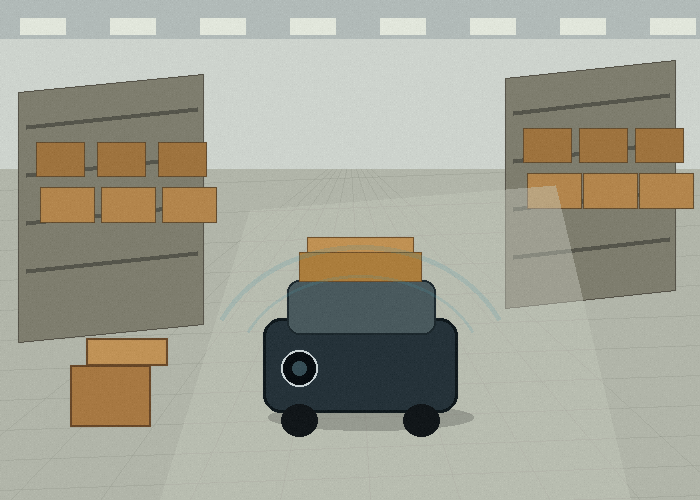
If you are choosing a 2D LiDAR sensor for an AMR, start with the warehouse floor before you start with the product table. The robot does not move through a perfect drawing. It moves past pallets that are not pushed in all the way, people who step into aisles, stretch wrap hanging from a load, reflective tape on the floor, and docking points that may shift a few centimeters after a busy day.
That is why a useful 2D LiDAR sensor decision begins with a simple question: what must the robot notice early enough to act safely and smoothly? Once that question is clear, sensor range, scan angle, mounting height, output format, and software logic become much easier to judge.
Quick Answer: Pick The Sensor Around The Route
For warehouse AMRs, a 2D LiDAR sensor is usually valuable when it supports route awareness, obstacle detection, docking, or localization along a defined scan plane. The scan plane is the key idea. A 2D sensor does not see the whole world like a camera. It reads a slice of the environment. If that slice is placed at the right height and angle, it can be extremely useful. If it is placed badly, it can miss the object that matters most.
The practical buying process is to map the route first, then choose the sensor. Walk the real aisle. Look at the lowest obstacle the robot must detect, the highest part of the robot body, the pallet corners, the rack legs, the docking station, and the human traffic around cross-aisles. Then compare those needs with the LiDAR sensor catalog instead of comparing sensors in isolation.
Why AMR Routes Are Harder Than They Look
On paper, warehouse navigation seems simple: draw a route, define a speed, and let the robot follow it. In daily operation, the route changes in small ways. A pallet may sit ten centimeters outside its lane. A carton may fall near the floor. A worker may park a hand pallet jack beside a rack for two minutes. A temporary staging area may appear near the shipping door during peak hours.
A 2D LiDAR sensor helps because it measures distance to surrounding objects in real time. That makes it useful for building a local picture of the route, detecting obstacles, and supporting navigation software. It is also why the sensor needs to be tested on the actual route, not only on a clean demo floor.
One common mistake is to treat the warehouse as a fixed map. The map may be fixed, but the objects inside it are not. A good AMR project separates stable features from temporary objects. Rack legs, walls, and docking stations may help with localization. Pallets, people, dropped cartons, and moving carts should be treated as changing obstacles.
The Mounting Height Decides What The Robot Really Sees
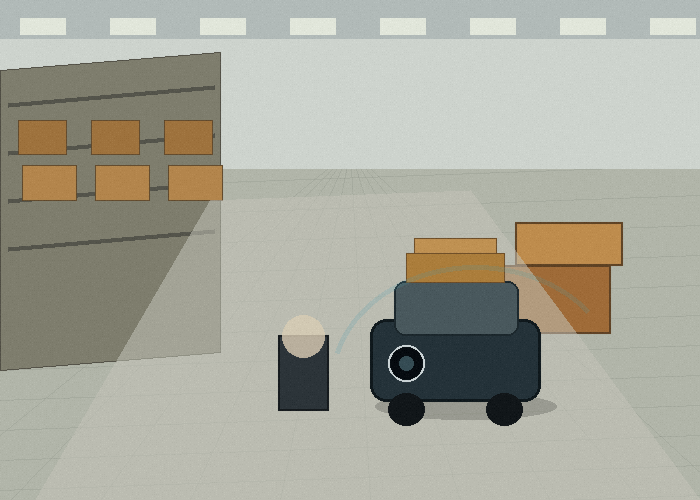
Mounting height sounds like a small installation detail, but it often decides whether the 2D LiDAR sensor is useful. If the sensor is too high, it may scan above low obstacles such as pallet edges, low carts, or fallen cartons. If it is too low, it may see too many floor details, dust, small debris, or the robot body itself.
For an AMR carrying totes or small pallets, the front scan plane often needs to catch pallet corners, rack legs, and objects close to the floor. For a larger vehicle, the scan plane may be chosen to match the most important collision zone. The right answer depends on robot shape, speed, stopping distance, payload, and the type of objects on the route.
A simple field test helps. Place common objects on the route: a pallet corner, a black tote, a cardboard box, a reflective floor marker, a worker shoe-height object, and a narrow rack leg. Move the robot slowly through the route and watch the sensor data. The test should answer whether the sensor sees what the operator actually worries about.
| Route detail | What to check | Why it matters |
|---|---|---|
| Pallet corner | Detected before the robot turns into it | Prevents side impacts in narrow aisles |
| Rack leg | Stable detection at normal travel speed | Supports localization and aisle awareness |
| Low carton | Visible at chosen mounting height | Reduces floor-level obstacle misses |
| Docking station | Consistent position reading | Improves repeatable handoff and charging |
| Cross-aisle traffic | Early enough detection distance | Supports smoother slowdown logic |
Do Not Let Speed Hide The Real Requirement
Many teams ask first about sensor range. Range matters, but stopping distance matters more. A robot moving slowly in a controlled aisle may not need the same detection distance as a faster vehicle crossing a busy warehouse lane. The useful range is the distance that gives the control system enough time to slow down, stop, or re-plan.
Think of the sensor, controller, brake response, payload, floor condition, and safety logic as one chain. If the sensor detects an object but the robot cannot respond smoothly, the system will still feel rough. If the robot stops too aggressively for small objects, workers may stop trusting it. The best AMR behavior feels predictable: it slows early, avoids sudden moves, and resumes when the path is clear.
This is where a 2D LiDAR sensor can support better route quality, not just obstacle detection. With a stable scan, the robot can understand aisle edges, detect common obstacles, and make cleaner decisions. That improves the experience for warehouse teams who work around the robot all day.
Where A 2D LiDAR Sensor Fits Best
A 2D LiDAR sensor is a strong choice when the important objects are expected to cross a known plane. That is why it often fits AMR navigation, AGV guidance, docking, and defined industrial routes. It is not the answer to every perception problem. If the robot must understand hanging loads, forks at different heights, overhead obstacles, or complex stacked objects, the system may need additional sensing.
The useful way to frame the decision is not 2D versus everything else. The better question is: which layer of the problem should this sensor solve? A 2D LiDAR sensor may handle route shape, local obstacle detection, or docking alignment. Cameras, ultrasonic sensors, bumpers, encoders, or other sensors may handle different parts of the system.
For readers who want a general background, the overview of LiDAR explains the basic distance-measurement concept. For robot navigation work, the ROS sensor setup documentation is also useful because it shows how sensor data becomes part of a robot software stack.
What Good Sensor Data Looks Like On The Floor
A practical AMR test should not only ask whether the sensor sees an object once. It should ask whether the readings stay useful while the robot moves. Watch for three things: stable distance readings, clear object edges, and predictable changes as the robot approaches or turns away. If the data jumps badly every time the robot crosses a floor joint or passes shiny wrap, the system may need filtering, a different mounting angle, or a different test condition.
It is also worth checking how the sensor behaves near rack ends. Rack legs are useful because they are fixed, narrow, and common in real routes. If the sensor sees them consistently, the robot software may have better reference points. If the sensor misses them at the chosen height, the route may still work, but the team should not pretend that the scan plane is reading the structure it cannot actually see.
Do the same with pallet edges. Pallets are messy objects from a sensing point of view. They can be wood, plastic, dark, damaged, wrapped, or pushed at an angle. A 2D LiDAR sensor that handles only clean test boards may not be ready for a warehouse lane where pallets arrive in imperfect positions. Testing several pallet types gives a more honest result.
A Practical Warehouse Example
Imagine an AMR that moves empty totes from a packing area to a staging lane. The route is only thirty meters long, but it crosses a human walkway, passes two rack ends, and turns into a docking point. The robot does not need a complicated perception story. It needs to detect common objects reliably and repeat the route without annoying the people working nearby.
In this case, the 2D LiDAR sensor brief should describe the route in plain language. The robot starts at the packing bench, turns left after the first rack, passes a cross-aisle, slows near a staging lane, and aligns with a dock. The sensor must see pallet edges at the rack end, detect a person stepping into the cross-aisle, and help the robot approach the dock in a consistent way.
Now the buying discussion becomes concrete. The team can ask whether the scan angle covers the turn, whether the sensor can be mounted without being blocked by the payload, whether the output format fits the controller, and whether the detection distance is enough for the chosen speed. Those are better questions than asking for the most impressive number on a specification page.
Testing The Sensor Before A Fleet Rollout
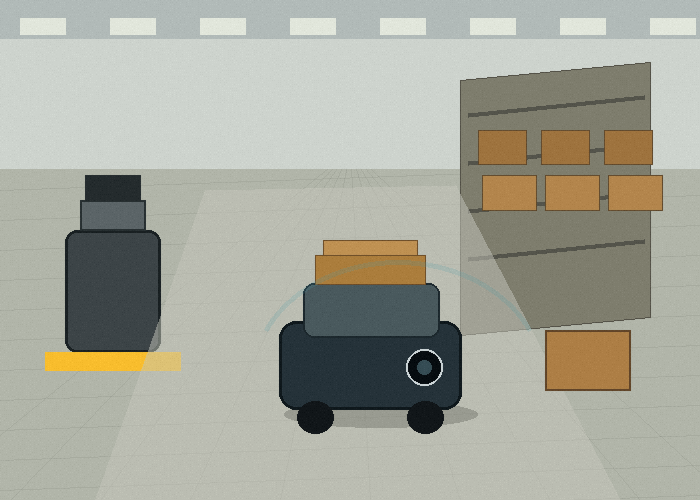
A single successful demo is not the same as a reliable deployment. Before using the same sensor across a fleet, run a small test plan. Start with clean aisles. Then add normal warehouse clutter. Test with bright light near a door, darker light in the back of the warehouse, reflective wrap, black plastic totes, and people walking naturally through the route.
The test does not need to be expensive. It needs to be honest. Let the robot run at the intended speed. Place objects where they actually appear during work, not only in the middle of the aisle. Repeat docking several times. Check whether the sensor view changes when the robot carries different loads.
Keep notes in a simple table. Record what the sensor saw, what it missed, and whether the robot response felt acceptable to people nearby. This makes the decision easier for engineering, operations, and purchasing because everyone is looking at the same evidence.
| Test round | Scene | Pass condition |
|---|---|---|
| Clean route | Empty aisle and normal dock | Stable route and repeatable docking |
| Cluttered route | Pallet edge, tote, carton, parked jack | Objects detected early enough for smooth response |
| Human crossing | Person enters cross-aisle at walking speed | Robot slows or stops predictably |
| Lighting change | Near door and darker aisle | No major loss of useful readings |
| Payload change | Empty and loaded robot | Sensor view not blocked by cargo |
How To Avoid False Confidence
False confidence is a quiet problem in robot projects. A short demo may look impressive because the path is clean, the lighting is controlled, and every obstacle is placed exactly where the sensor can see it. The warehouse later tells a different story. Someone parks a cart at the edge of the aisle. A pallet sits slightly crooked. The robot carries a taller load than expected. The system still runs, but the sensor is no longer seeing the same scene as the demo.
The fix is to include imperfect scenes during testing. Place one obstacle half inside the route instead of neatly in the center. Put a dark tote near a rack leg. Add a reflective object near the dock. Let a person cross at a normal walking pace, not a staged slow walk. These tests are not meant to make the sensor fail. They are meant to reveal the conditions that need a clearer rule.
When a test fails, write down the cause in plain words. Was the object below the scan plane? Was it hidden by the payload? Was the object too close to a rack leg to separate clearly? Did the robot response feel too late? Good notes turn a failed test into a better installation plan.
Maintenance Should Be Designed In Early
Warehouse sensors do not usually face the same mud and rain as outdoor machines, but they still need maintenance thinking. Dust, film from stretch wrap, small impacts, cable strain, and cleaning chemicals can all affect long-term performance. A sensor placed on the front bumper may see the route well, but it may also be the first part to get bumped by carts or pallets.
A useful design leaves space for cleaning and replacement. The operator or technician should be able to inspect the sensor window quickly. The cable should not be pulled tight. The bracket should be stiff enough that vibration does not change the scan angle. If the robot fleet grows from one unit to twenty, these small details become daily operating costs.
Maintenance records can also help decide whether the same setup should be used on the next robot model. If most problems come from dirty sensor windows, the answer may be better protection or cleaning access. If most problems come from blocked views, the answer may be mounting position. If most problems come from software response, changing the sensor alone will not solve it.
| Maintenance item | Simple check | Why it helps |
|---|---|---|
| Sensor window | Look for dust, film, scratches, or tape residue | Protects reading stability |
| Bracket | Check for vibration, bending, or loose fasteners | Keeps scan plane consistent |
| Cable | Look for tight bends or rubbing points | Reduces intermittent faults |
| Route changes | Review new racks, docks, or staging areas | Keeps test assumptions current |
| Robot payload | Confirm load does not block the scan | Prevents hidden blind spots |
What To Send When Asking For A Recommendation
When you contact LidarStar through the quote request page, include a few route photos and a short description of the robot task. The most useful information is practical: robot size, mounting space, route width, normal speed, payload height, target obstacles, controller interface, and whether the sensor will support navigation, warning, docking, or all three.
A short phone video is even better. Walk the route and record the aisle, the dock, the cross-aisle, and the objects that usually create problems. That video often reveals constraints that a drawing does not show, such as a rack leg hidden at the turn or a pallet that blocks the sensor view during loading.
If the project is still early, ask for a recommendation in stages. First, decide the sensing job. Second, confirm mounting and scan coverage. Third, run a small route test. Fourth, decide whether the same setup can scale to the fleet. This keeps the project practical and reduces the chance of buying a sensor that looks good on paper but feels wrong on the floor.
Buying Checklist
| Question | Good answer |
|---|---|
| What route must the robot follow? | A real route map with turns, docks, and cross-aisles |
| What objects matter most? | Pallets, rack legs, totes, people, carts, or dock edges |
| Where can the sensor be mounted? | A protected position with a useful scan plane |
| How fast will the robot move? | A speed tied to stopping distance and response logic |
| What software needs the data? | Clear interface, update rate, and integration plan |
| How will it be maintained? | Cleaning access and replacement plan |
FAQ
Is a 2D LiDAR sensor enough for an AMR?
It can be enough for defined route awareness, docking, and many obstacle-detection tasks. If the AMR must understand objects above or below the scan plane, the system may need other sensors as well.
What is the most common installation mistake?
The most common mistake is mounting the sensor where it is convenient instead of where the scan plane sees the objects that matter. Mounting height and angle should be tested on the real route.
Should I choose range first?
No. Start with route, speed, stopping distance, and target objects. Range is important only when it supports the response time the robot actually needs.
Can 2D LiDAR help with docking?
Yes, when the docking area has features the sensor can read consistently and the robot software uses that data for alignment or position correction.
What photos should I send for selection help?
Send the robot front, side, and mounting area; the aisle; the dock; the most common obstacles; and any area where people cross the route.