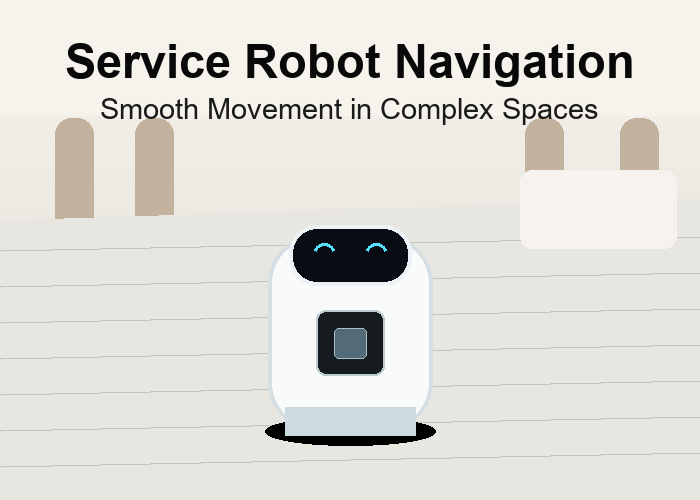
A 2D LiDAR sensor for service robot navigation is useful only when it helps the robot move naturally around people. In a hotel, office, hospital, or public building, people do not behave like clean test objects. They pause, turn, carry bags, push carts, and step into the route without thinking about the robot.
The best starting point is the real route. Record the hallway, lobby, elevator area, charging dock, and the tightest corner. Those scenes decide the scan angle, mounting height, detection distance, and behavior rules.
Quick Answer: Smooth Movement Is The Real Goal
For service robots, avoiding contact is only the minimum requirement. The better goal is smooth movement. A robot that stops too sharply feels clumsy. A robot that passes too closely feels uncomfortable. A robot that hesitates near every chair leg becomes annoying. Good navigation depends on sensing and behavior working together.
The robotics LiDAR application page helps frame this as a navigation problem, while the industrial automation LiDAR page is useful when the same robot must connect to a facility workflow or delivery process.
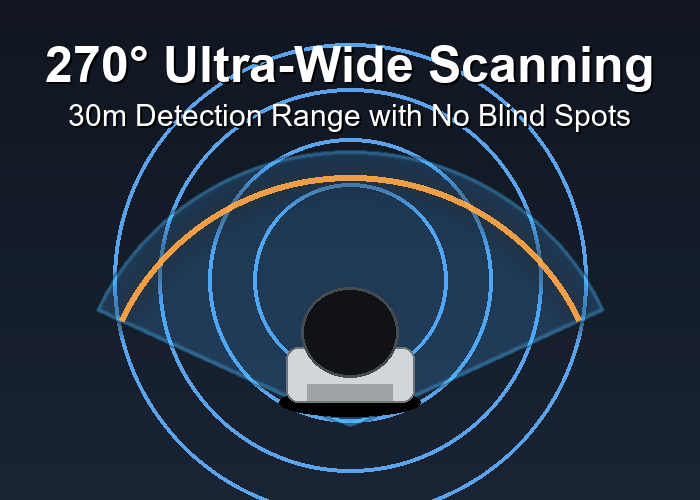
Look At Side Movement, Not Only Front Obstacles
Service robot routes often fail at the side. A guest steps out from a seating area. A nurse pushes a cart across a corridor. A person with luggage changes direction near an elevator. A wide scan can help the robot notice movement near the front corners and side approach zones.
The scan still has to be placed at the right height. For indoor service robots, test chair legs, bags, shoes, luggage wheels, low boxes, and elevator thresholds. If the scan plane misses those objects, the robot may look confident in a demo but struggle in daily use.
The general overview of LiDAR technology explains the basic sensing idea. For system thinking, the overview of autonomous mobile robots helps connect perception, planning, and movement.
| Indoor route point | Object to test | Behavior to watch |
|---|---|---|
| Lobby seating | Chair legs and bags | Smooth side avoidance |
| Elevator front | People entering and exiting | Calm waiting and approach |
| Hallway corner | Person stepping into route | Early slowdown |
| Charging dock | Dock face and floor edge | Repeatable alignment |
| Glossy floor | Reflections and thresholds | Few false stops |
Use 270-Degree Scanning Carefully
A wide scan can improve awareness near the robot’s front and sides, but it should not become a reason to ignore installation details. The robot body, decorative panels, payload tray, or charging connector can block part of the view. A wide sensor mounted badly may still leave a practical blind spot.
During the first route test, mark the real blind spots with tape or notes. Move common objects around the robot and watch where detection becomes weak. This simple exercise often reveals that a small bracket change can improve the result more than a longer feature debate.
For development teams, the Nav2 navigation documentation is useful because it shows how sensor inputs become maps, costmaps, and movement behaviors. The exact software may differ, but the design questions are similar.
A Practical Hotel Lobby Scenario
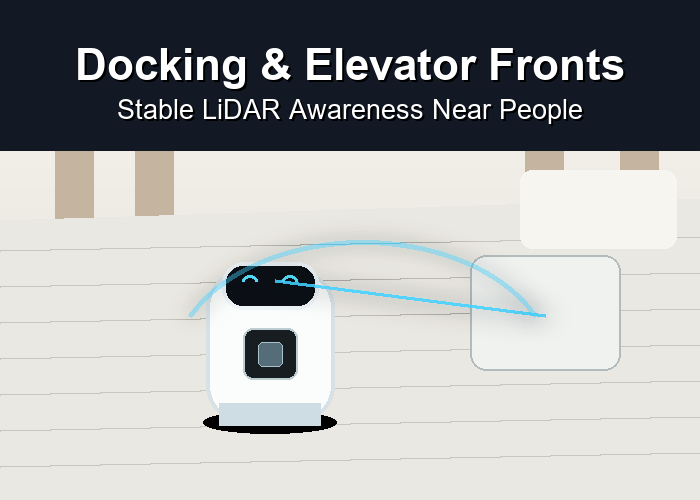
Imagine a service robot delivering items from a front desk to an elevator. The route is short, but the scene changes constantly. A guest stands near the reception counter. Someone leaves a suitcase near a chair. A child walks toward the robot and then turns away. The robot must move without making the lobby feel tense.
In that setting, the LiDAR sensor should support early awareness and smooth slowdown. The test should include luggage wheels, chair bases, people crossing from the side, and the elevator approach. The most important question is not whether the robot can move through an empty lobby. The question is how it behaves when the space becomes slightly inconvenient.
The ROS guide to setting up robot sensors is useful because it reminds engineers that placement and data handling affect the whole navigation stack.
How To Tune The First Pilot Route
Start with a route that is important but controlled. Do not begin with the most chaotic location in the building. Run the robot slowly, then at normal speed. Add one variable at a time: a bag near the route, a person crossing, a chair moved slightly, a shiny floor area, and a docking approach.
For each trial, write down whether the robot saw the object, whether the decision was correct, and whether the movement looked comfortable. Those three questions help separate sensor placement problems from software behavior problems.
When 2D LiDAR Is Not Enough
A 2D LiDAR sensor works well when important objects cross the scan plane. If the robot must understand object height, overhanging shelves, stairs, or complex 3D shape, compare the project with 3D LiDAR sensors. If the final approach needs compact local depth, Flash LiDAR sensors may also be relevant.
The right answer may be one sensor or a layered system. The practical decision should come from the route, the object types, the response rule, and the level of comfort needed around people.
How To Turn A Route Into Sensor Requirements
A useful sensor requirement is not a slogan such as better safety or smoother navigation. It is a short description of what the robot must notice, where it must notice it, and what the robot should do next. For example, the system may need to detect a low box before a turn, slow near a crossing person, or align with a docking face without repeated small corrections.
Write the requirement in the language of the route. Include the object, the distance, the movement, and the response. This makes the discussion practical for engineering, operations, and purchasing. It also prevents the team from choosing a sensor only because a headline range or scan angle looks attractive.
The easiest way to build the requirement is to walk the route and pause at every decision point. Ask what can enter the robot path, what the robot body may block, where the floor or lighting changes, and where people expect the robot to behave politely. Those answers become the first version of the test plan.
Installation Details That Change The Result
Small installation choices often matter more than people expect. A sensor mounted a few centimeters higher may miss low objects. A sensor mounted too far back may see the robot body. A bracket that vibrates can make readings unstable. A cable that is hard to service can turn a good prototype into a frustrating fleet installation.
Before finalizing the mount, check four things: view, protection, cleaning access, and service access. The sensor needs a clear view of the target zone. It also needs protection from bumps, dust, carts, and routine cleaning. A technician should be able to inspect the sensor window and replace the unit without dismantling the robot.
If the robot has a payload tray, lift mast, decorative shell, or front bumper, test with that equipment installed. A bare test platform can give a false sense of confidence. The final robot body is part of the sensing scene.
A Short Field Test Is Better Than A Long Guess
Run the planned route slowly first, then at the intended operating speed. Place the most common objects in realistic positions instead of neat demo positions. Keep notes on what the sensor sees, what the software does with the data, and whether the movement response feels natural.
The best early test is not designed to make the sensor look perfect. It is designed to reveal where the installation is strong and where it needs adjustment. That may mean changing mounting height, narrowing a zone, moving a bracket, or using a different sensing layer for one part of the route.
A good field test should include at least one clean run, one cluttered run, one human-crossing run, one docking or handoff run, and one run with the robot carrying its normal payload. If the route works only when it is clean and empty, the project is not ready for daily operation.
| Test step | What to observe | Decision it supports |
|---|---|---|
| Clean route | Baseline movement and sensor stability | Confirms basic setup |
| Cluttered route | Boxes, pallets, bags, or carts | Checks real obstacle handling |
| Human crossing | Natural walking speed | Tunes slowdown behavior |
| Docking or handoff | Final approach consistency | Tests close-range control |
| Loaded robot | Payload blockage and braking | Validates operating condition |
How To Review False Alerts
False alerts should be treated as clues, not just annoyances. A false stop may show that the scan plane is crossing a known fixture. It may show that the response zone is too wide. It may reveal reflection from a floor or a shiny surface. It may also show that the robot body or payload is entering the sensor view.
Label each false alert with a likely cause. Do not simply write failed. Write floor reflection, rack leg inside zone, payload blockage, crossing object too close to normal structure, or bracket vibration. This makes the next action clear. The fix may be a software rule, a mounting change, a cleaning change, or a different sensor layer.
The goal is not to remove every alert. The goal is to make alerts meaningful enough that operators trust the robot. If the robot reacts to harmless details all day, people will work around it instead of with it.
How To Decide Whether The Pilot Is Ready To Scale
A pilot is ready to scale when the route behavior is repeatable, maintenance is realistic, and the team can explain the remaining limits. It does not need to be perfect. It does need to be understood. The team should know which objects the sensor handles well, which scenes require extra care, and which mounting or software rules must be kept consistent across future robots.
Before scaling, repeat the same test on a different day or shift. Lighting, traffic, and clutter can change. A setup that works only under one carefully prepared condition may not be strong enough for a larger deployment. A setup that behaves consistently across normal variation is much more promising.
Document the final mounting position with photos and measurements. Record the version of the software rules. Save the route notes and the list of objects used in testing. These records make it easier to troubleshoot later and easier to train the next team member who touches the project.
What Each Team Should Check
Different teams see different risks. Engineering should check data stability, scan coverage, response timing, and integration details. Operations should check whether the robot movement fits the normal workflow. Maintenance should check whether the sensor can be cleaned, inspected, and replaced easily. Purchasing should check whether the same setup can be repeated across future units.
This shared review prevents a common problem: one team approves the sensor while another team later discovers the daily burden. A sensor that reads well but is hard to clean may create long-term trouble. A sensor that is easy to install but stops too often may slow the route. A sensor that works on one robot but cannot be mounted the same way on the next model may be difficult to scale.
Use a simple scorecard after the test. Rate route coverage, low-object detection, false alerts, smooth slowdown, docking or handoff behavior, cleaning access, cable protection, and repeatability. The scorecard does not need to be complicated. It only needs to make the decision visible.
| Review area | Who should comment | What a good result looks like |
|---|---|---|
| Sensor data | Engineering | Stable readings in normal route conditions |
| Workflow fit | Operations | Robot movement does not interrupt people unnecessarily |
| Service access | Maintenance | Sensor can be inspected and cleaned quickly |
| Repeatability | Purchasing and engineering | Same setup can be installed on future units |
| Remaining limits | All teams | Known limits are documented before rollout |
Red Flags During Selection
A few warning signs deserve attention. Be careful if nobody can explain the target detection zone, if the mounting location is chosen only because it is convenient, if the first demo avoids normal clutter, or if every false alert is dismissed without a cause. These are signs that the project may be moving faster than the evidence.
Another red flag is treating the sensor as a complete solution by itself. LiDAR gives useful distance information, but the final result depends on mounting, software, response rules, maintenance, and the surrounding workflow. The stronger the project, the more clearly those pieces are connected.
A good decision feels practical. The team can point to the route, show the target objects, explain the mounting choice, describe the response behavior, and name the remaining limits. That level of clarity is more valuable than a long feature list.
What To Send For A Recommendation
When asking through the LidarStar request page, send a route video, photos of the mounting area, normal speed, target objects, expected response, and controller interface. A clear scene description is more useful than a long list of desired features.
Also include what has already failed or felt awkward. If the robot stops too often, misses low objects, struggles near shiny surfaces, or cannot dock repeatably, say that directly. A good recommendation starts with the real pain point.
FAQ
Is a 2D LiDAR sensor suitable for mobile robots?
Yes, when the sensor view, mounting height, and behavior rules match the route. The project should be tested with real objects and normal movement.
Should I choose the widest scan angle first?
Not by itself. Wide coverage helps only when the scan plane crosses the objects that matter and the software uses the data correctly.
What causes most false stops?
Common causes include floor reflections, expected structure inside the detection zone, payload blocking the sensor, and response rules that are too broad.
How many images should I send for selection help?
Send a front view, side view, mounting close-up, route photo, obstacle photo, and docking or handoff area photo. A short phone video is often the most helpful file.