
LiDAR sensor families are easiest to evaluate when the reader starts from the real work problem. LiDAR interference is not one universal failure pattern. In a multi-sensor scene it may appear as scattered points, elevated noise, unstable ranges, temporary tracks or lost measurements. FMCW LiDAR can improve selectivity through coherent detection and waveform processing, but the practical result depends on the implementation and must be verified with the actual number, position and behavior of sensors at the site.
The quick answer is that LiDAR interference should be selected around the physical scene, not around a single maximum number. The sensor must cover the target, produce data the software can use, and support the response the machine needs to take.
For related internal planning, compare this requirement with 3D LiDAR sensor options, robotics LiDAR applications, and the broader industrial automation sensing. These references keep the discussion tied to practical deployment choices.
How one LiDAR can contaminate another measurement: what to check
Interference occurs when optical energy from another emitter reaches a receiver during a measurement window and passes enough of the receiver chain to affect output. For LiDAR interference, this question should be tied to a defined target, distance, viewpoint and decision. Otherwise, a technically correct measurement can still be irrelevant to the application.
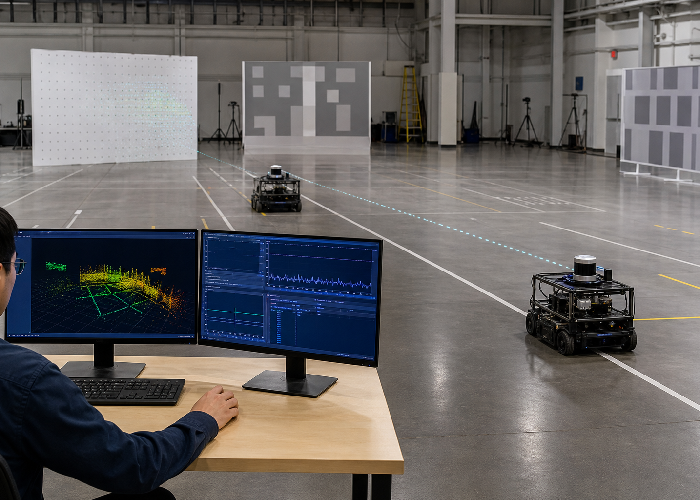
Face two operating sensors toward overlapping reflective scenes, vary their distance and angle, and preserve raw returns before filtering. Change one variable at a time, keep raw or minimally processed data, and record the exact configuration. The goal is a result another engineer can reproduce rather than a one-time demonstration.
Classify the effect as added noise, transient points, range bias, track instability or data loss so the remedy targets the actual symptom. Use NIST calibrated FMCW LiDAR ranging research as an independent reference while defining terminology, assumptions, or test evidence.
The difference between interference noise and a real target: what to check
A real object tends to be spatially and temporally consistent, while interference may appear as sparse bursts, bands or returns that do not follow scene geometry. For LiDAR interference, this question should be tied to a defined target, distance, viewpoint and decision. Otherwise, a technically correct measurement can still be irrelevant to the application.
Repeat a static scene with the second emitter off and on, then compare point persistence, intensity, timing and downstream tracks. Change one variable at a time, keep raw or minimally processed data, and record the exact configuration. The goal is a result another engineer can reproduce rather than a one-time demonstration.
Do not hide the symptom with an aggressive filter until the team knows which valid small or fast targets that filter might also remove. Use NASA FMCW coherent LiDAR research as an independent reference while defining terminology, assumptions, or test evidence.
| Decision area | Practical question | Evidence to save |
|---|---|---|
| Coverage | Does the field of view include the real target? | Photos, scan captures, and route notes |
| Timing | Can the controller act soon enough? | Timestamps and behavior logs |
| Environment | Do lighting, dust, vibration, or surfaces change results? | Difficult-scene examples |
| Integration | Can software use the output directly? | Driver, frame, and message checks |
| Maintenance | Can the site keep it aligned and clean? | Service access review |
Why coherent FMCW reception changes selectivity: what to check
Coherent FMCW reception mixes returned light with a local reference and measures beat frequencies associated with range and, in suitable designs, radial velocity. For LiDAR interference, this question should be tied to a defined target, distance, viewpoint and decision. Otherwise, a technically correct measurement can still be irrelevant to the application.
Inspect the frequency-domain output under controlled external illumination and additional active emitters rather than relying only on a rendered point cloud. Change one variable at a time, keep raw or minimally processed data, and record the exact configuration. The goal is a result another engineer can reproduce rather than a one-time demonstration.
Use coherent-ranging literature to define what selectivity is provided by the specific waveform and receiver implementation. Use NIST dual-comb FMCW point-cloud research as an independent reference while defining terminology, assumptions, or test evidence.
What FMCW does not automatically solve: what to check
FMCW is an architecture, not a guarantee that every implementation rejects every source, reflection, multipath path or receiver overload condition. For LiDAR interference, this question should be tied to a defined target, distance, viewpoint and decision. Otherwise, a technically correct measurement can still be irrelevant to the application.
Test strong nearby reflectors, multiple units, glass, retroreflective material and realistic optical alignment across the operating temperature range. Change one variable at a time, keep raw or minimally processed data, and record the exact configuration. The goal is a result another engineer can reproduce rather than a one-time demonstration.
Document conditions that saturate or confuse the receiver and define the behavior expected when confidence falls. Use NASA discussion of coherent LiDAR applications as an independent reference while defining terminology, assumptions, or test evidence.
Mitigation through timing coding placement and software: what to check
Time staggering, waveform coding, spectral selectivity, field-of-view management, placement and confidence-aware software can all reduce interference risk. For LiDAR interference, this question should be tied to a defined target, distance, viewpoint and decision. Otherwise, a technically correct measurement can still be irrelevant to the application.
Change one mitigation at a time and repeat an identical multi-sensor scene while preserving the unfiltered baseline. Change one variable at a time, keep raw or minimally processed data, and record the exact configuration. The goal is a result another engineer can reproduce rather than a one-time demonstration.
Measure improvement in valid-target continuity and false-event rate, not merely a reduction in total points. Use Doppler effect reference as an independent reference while defining terminology, assumptions, or test evidence.
A multi-sensor interference test for the real deployment: what to check
The deployment test must include the number of active sensors, mounting angles, reflective backgrounds, traffic pattern and host processing used in production. For LiDAR interference, this question should be tied to a defined target, distance, viewpoint and decision. Otherwise, a technically correct measurement can still be irrelevant to the application.
Run synchronized on-off combinations and worst-case facing geometry while logging raw data and machine decisions. Change one variable at a time, keep raw or minimally processed data, and record the exact configuration. The goal is a result another engineer can reproduce rather than a one-time demonstration.
Keep a matrix of sensor combinations and pass boundaries so later site expansion does not unknowingly reintroduce the problem. Invite operators and maintenance staff to review the result because they see workflow and service conditions that a bench test misses.
A field scenario that exposes the weak point
Imagine the first pilot for LiDAR interference looks convincing during a calm demonstration. The expected target is visible, the visualization is clean, and the operator sees the intended event. The scene changes during normal work: a real object tends to be spatially and temporally consistent, while interference may appear as sparse bursts, bands or returns that do not follow scene geometry. At the same time, mounting, timing, background conditions, or processing removes some of the margin that existed during the demonstration. The system still produces data, but the decision arrives late, becomes unstable, or creates an unnecessary alert.
The useful response is not to change several filters at once. Recreate the difficult scene at reduced operational risk, preserve the original configuration, and follow this test: Repeat a static scene with the second emitter off and on, then compare point persistence, intensity, timing and downstream tracks. Then repeat with one controlled change and compare raw measurements, interpreted output, and final behavior on the same timeline. This reveals whether the limiting step is sensing, geometry, software, integration, or the acceptance rule itself.
Close the investigation with an operator-visible criterion. Do not hide the symptom with an aggressive filter until the team knows which valid small or fast targets that filter might also remove. Record the target, distance, direction, environmental state, software version, first reliable detection, and the action that followed. Keep one failed run beside the passing run. That pair is more useful for future maintenance than a polished final screenshot because it shows exactly which boundary the installation must continue to respect.
Pilot evidence before selection
A pilot for LiDAR interference should be written like an engineering record. Record the test location, sensor height, mounting angle, route or scene boundary, object size, lighting, surface condition, software version, and the exact behavior expected from the system. The notes should be factual enough that another engineer can repeat the test without guessing what the first team meant.
Collect three layers of evidence. The first layer is raw or minimally processed sensor data. The second layer is the interpreted result, such as an object, track, zone event, depth map, or filtered cloud. The third layer is the actual behavior that followed, such as a stop, warning, route update, measurement, or message. When those layers are saved together, the team can identify whether a problem came from sensing, processing, or decision logic.
Start with a calm baseline, then add ordinary difficulty one variable at a time. Run the same scene with a normal target, a dark target, an angled target, a small target, and a partially hidden target. If the system changes behavior, the team can see which condition caused the change. This slower rhythm usually saves time because it avoids a confusing pile of uncontrolled test results.
The pilot should also include a negative case that should not trigger action. That may be an object outside the route, a person standing in a safe area, a pallet behind a boundary, or motion that is moving away from the machine. Negative cases reveal whether the setup is selective or merely active. A dependable deployment needs both reliable detection and calm behavior when nothing important is happening.
Use real site timing. A sensor that looks stable while the machine is parked may not support the same behavior when a robot is turning, a conveyor is moving, or a vehicle is crossing the monitored zone. Save timestamps and controller responses, not only screenshots. Timing evidence is often what separates a promising demonstration from a system that can be trusted in daily work.
Common mistakes that hide weakness
The first mistake is testing only ideal scenes. Real deployments include dark objects, angled surfaces, temporary clutter, vibration, cleaning residue, glare, partial occlusion, and people working in unpredictable ways. Include the difficult cases early, because those cases decide whether the application can scale.
The second mistake is comparing a single headline number. Range, field of view, angular detail, frame rate, interface, environmental fit, output format, mounting, and support all matter. Their importance changes by application, so the comparison matrix should be built from the job rather than from a generic specification list.
The third mistake is deleting failure examples after the setup improves. Keep the missed object, false return, unstable track, delayed response, or poor mounting example. Those files explain why a later choice was made and help support staff recognize symptoms when the site changes. A clean final report without negative evidence is less useful than a practical record that shows the limits clearly.
The fourth mistake is reviewing only the engineering view. Operators know where people pause, where pallets are staged temporarily, which aisles become crowded, and which maintenance routines happen under time pressure. Their observations can change the sensor position, cable route, cleaning plan, or alert logic before the system becomes expensive to modify.
Another subtle mistake is ignoring the data contract. The receiving software must know the units, coordinate frame, timestamp behavior, confidence fields, and reset behavior. Clear data contracts prevent a good sensor from becoming an unreliable system because downstream code interpreted the output differently than the integration team expected.
Buying checklist
Before choosing hardware for LiDAR interference, review the planned sensor position, required coverage, smallest target, dark-object behavior, required update timing, controller interface, environment, and service routine. If any item is unknown, run a small test before ordering hardware for multiple locations.
Ask for output examples in the format your software will use. A polished viewer is helpful for discussion, but the production system may need a scan topic, point cloud, object list, zone event, depth frame, or velocity field. Confirm driver availability, timestamp behavior, coordinate frames, configuration files, and recovery steps before treating the sensor as integration-ready.
Finally, review maintenance before purchase. The window must be reachable for cleaning, the bracket should resist vibration, the cable route should avoid strain, and the reset procedure should be clear to people who did not build the pilot. A technically strong sensor that is hard to maintain will lose reliability after installation.
Handoff notes for the next engineer
The handoff package for LiDAR interference should include the final sensor position, mounting photos, cable route, host computer, interface settings, frame names, filter parameters, saved examples, and the reason important choices were made. It should also state the known limits plainly. The next engineer needs to know what was proven, what was rejected, and what still needs a longer trial.
Do not rely on memory for calibration or configuration. Save the files, screenshots, logs, and version notes beside the article or project record. If the sensor is moved, replaced, cleaned, or connected to a different controller, the team should have a repeatable check that confirms the system still sees the same targets in the same way.
A final readiness review should separate proven behavior from promising behavior. Proven behavior has repeated evidence under the expected scene conditions. Promising behavior has worked in a limited test but still needs more hours, weather, traffic, shifts, surfaces, or maintenance cycles. This distinction helps teams scale carefully without slowing down projects that already have enough evidence.
Write the acceptance test in plain language before the final run. State what target must be detected, where it will be placed, how fast the machine or object will move, what output is expected, and what response should follow. A pass should be observable by both the engineer and the site owner. If the pass condition cannot be written clearly, the project definition is not ready for a purchase decision.
Keep the acceptance test small enough to repeat after installation. A five-minute check that operators can run after cleaning, relocation, or software updates is often more valuable than a complex test that no one repeats. Repeatable checks protect the original sensor decision after the system leaves the pilot bench and make future maintenance decisions easier for every site team.
When the project is ready for a shortlist, review LidarStar FMCW LiDAR catalog and share the site details through request an FMCW LiDAR evaluation. A specific request produces a better recommendation than a broad sensor comparison.
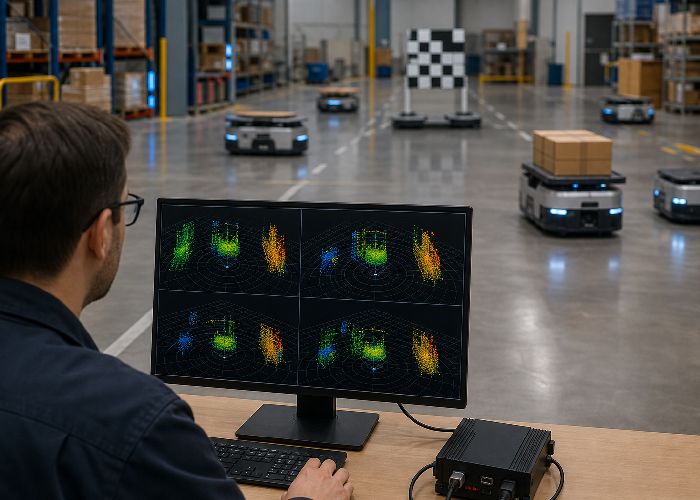
Before the final decision, repeat the most difficult LiDAR interference test with the production mounting, production power supply, and production software configuration. A bench result is useful, but it does not include the vibration, cable routing, timing, contamination, or occlusion that appears on the finished machine.
Have someone who did not build the pilot run the short acceptance check. If that person cannot identify a pass, a failure, and the correct recovery step from the written instructions, the handoff is incomplete. This review catches assumptions that the original engineering team may no longer notice.
Record the final limits beside the successful results. State which target sizes, materials, angles, weather conditions, speeds, and mounting positions were tested, and which were not. Honest boundaries make future changes safer and give procurement a defensible basis for scaling the installation.
Conclusion
LiDAR interference should be chosen from the job it must perform, the evidence it can produce, and the behavior the machine needs to take. Start with the real scene, test difficult objects, keep raw and processed data, and compare sensors against the deployment conditions. That approach turns LiDAR interference from a promising specification into a practical engineering decision.
FAQ
What is the most important first step for LiDAR interference?
Define the physical job and the decision the system must support before comparing specifications.
How should a team validate performance?
Use real objects, real mounting positions, real speed, and saved evidence from both successful and difficult runs.
Can one sensor solve every application?
No. The right choice depends on range, field of view, target size, environment, software output, and maintenance needs.
What information helps with sensor selection?
Scene photos, target dimensions, mounting limits, interface needs, environment notes, and expected machine behavior are the most useful details.
Why keep failed test examples?
Failure examples show limits clearly and prevent future teams from repeating the same mounting, filtering, or integration mistake.