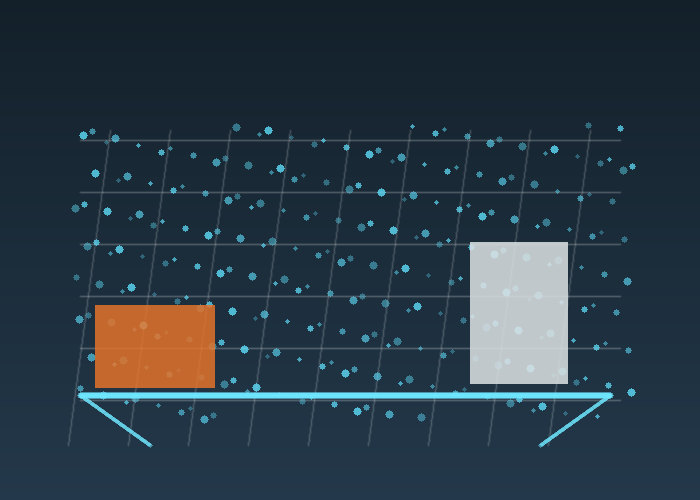
3D LiDAR point cloud processing turns raw distance measurements into data a robot can use for mapping, obstacle handling, docking, inspection, or scene understanding. The challenge is that a raw point cloud is rarely ready for decisions. It may be too dense, noisy, tilted, partially blocked, or full of points that do not matter to the task.
The quick answer is to build a simple processing pipeline before choosing complicated algorithms. Define the task, crop the region, downsample carefully, remove obvious outliers, separate ground or structure when needed, then validate the result on the real route. Good processing is not about making the cloud look impressive. It is about preserving the details that change robot behavior.
Start With The Decision The Robot Must Make
A warehouse robot, yard vehicle, mobile inspection platform, and mapping rig do not need the same cloud. One may need pallet height. Another may need a curb edge. Another may need a stable wall surface for localization. The processing pipeline should protect the information that supports that decision and discard what only wastes compute.
For product selection, compare the route with the 3D LiDAR sensor category and the broader LiDAR sensor category. Range, field of view, point density, output format, mounting angle, and environmental conditions all shape the downstream processing load.
Crop Before You Optimize
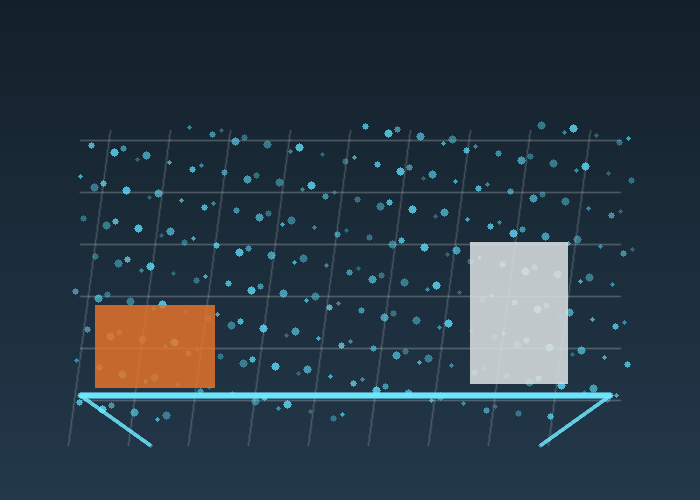
The first useful filter is often a crop. If the robot only needs the area in front and around the chassis, there is no reason to process ceiling points, far background structure, or the robot body. Cropping the region of interest makes later steps faster and easier to reason about.
Cropping also makes debugging clearer. If a false obstacle appears, a smaller region helps the team identify whether the cause is a reflection, body edge, floor patch, cable, bracket, rain, dust, or real object. A full cloud can hide simple causes under too much data.
Voxel Downsampling Without Losing The Job
Voxel downsampling is a common first step because it reduces point count while keeping the general shape of the scene. The official Point Cloud Library VoxelGrid tutorial explains downsampling with a voxelized grid, and the PCL VoxelGrid class reference describes creating a 3D grid where points inside each voxel are approximated by a centroid.
The practical question is voxel size. If the voxel is too small, the cloud remains heavy. If it is too large, thin obstacles, curb edges, pallet corners, and small fixtures may disappear. Choose voxel size from the smallest object the robot must still see, not from a generic example.
| Step | Typical purpose | Field warning |
|---|---|---|
| Crop region | Remove irrelevant space | Do not crop out side hazards |
| Voxel downsample | Reduce point count | Large voxels can erase small objects |
| Outlier removal | Clean isolated noise | Aggressive settings may remove real edges |
| Ground handling | Separate floor from obstacles | Ramps and uneven surfaces need care |
| Validation | Confirm behavior impact | Pretty clouds do not prove readiness |
Outlier Removal Should Be Conservative
Outlier removal can make a point cloud cleaner, but it can also remove rare points that matter. The Open3D outlier removal documentation explains statistical removal of points that are farther from neighbors than expected. That is useful for noise, but it should be tuned with real objects in the scene.
For robotics, the safest rule is to compare before and after results against a known test object. Put a narrow pole, pallet edge, low box, and angled panel in the scene. If the filter removes those objects, it may be making the visualization nicer while making the robot less capable.
Ground Is Not Always Simple
Ground removal sounds straightforward until the robot works on ramps, thresholds, outdoor pavement, construction surfaces, or loading areas. A flat indoor floor may support simple plane fitting. A rough yard may need a more careful model. A warehouse with dock plates and floor transitions needs tests at the actual locations where the robot will travel.
The general point cloud concept overview helps non-specialists understand why 3D points represent surfaces and objects. In a robot project, the key is not the concept; it is how the cloud changes when the robot moves, vibrates, turns, and sees reflective or low-reflectivity surfaces.
Use Open Tools For Repeatable Experiments
Open3D and PCL are useful because they let teams test processing choices without hiding the pipeline. The Open3D point cloud documentation covers downsampling methods, including voxel downsampling. That makes it easier to build repeatable experiments around voxel size, neighbor count, crop windows, and outlier thresholds.
Repeatable experiments matter more than one attractive screenshot. Save the input cloud, the filter settings, and the output cloud. Then repeat the same test with changed lighting, different payload, another route section, or a different mounting angle. If the pipeline only works on one file, it is not ready for deployment.
A Practical Warehouse Example
Imagine a mobile robot checking pallet positions in a warehouse aisle. The cloud includes rack legs, pallet faces, floor points, people passing at the edge, and the robot body. The useful pipeline may crop to the aisle, downsample enough for real-time processing, remove isolated noise, segment the floor, then detect pallet edges and open space.
If the pipeline erases thin pallet edges, the robot may misjudge the scene. If it keeps too many floor reflections, it may create false obstacles. If it ignores the robot body, it may process its own bracket as an object. Each step needs a field reason.
A Practical Outdoor Equipment Example
Now consider a slow autonomous machine working around gravel, vegetation, ramps, and parked equipment. The cloud changes with dust, sunlight, vibration, and uneven ground. A filter that looks good indoors may fail outdoors. The team should test the actual operating surface and the smallest object that should trigger a response.
NIST work on mobile robotics systems and standard test methods is useful here because it emphasizes repeatable measurement. The same idea applies to point clouds: define the objects, distances, surfaces, and expected outcomes before declaring the pipeline ready.
Performance Is Part Of The Design
A beautiful algorithm that misses the control cycle is not practical. Measure processing time on the target computer, not only on a development workstation. Watch CPU load, memory use, latency, and how performance changes when the scene becomes dense. Downsampling and cropping are often as important as the final detection method.
For mobile systems connected to factory or yard workflows, the industrial automation LiDAR page is a useful internal reference. It keeps the discussion tied to maintainability, mounting, cable protection, route design, and the operators who will live with the system after the demo.
How To Ask For A Better Recommendation
When using the LidarStar request page, send a sample point cloud if available, plus route photos, mounting height, target objects, required frame rate, computer platform, interface needs, and whether the project uses ROS, custom software, or another stack. Include what the current pipeline gets wrong.
If the project is still early, describe the scene in plain language: indoor warehouse, outdoor yard, robot speed, object size, lighting, dust, rain, reflective surfaces, and whether the robot needs mapping, obstacle detection, measurement, or classification.
Field Notes To Capture During The Pilot
A useful pilot log is short, factual, and tied to the route. For 3D LiDAR point cloud processing, record the mounting position, object used in the test, robot speed, lighting or floor condition, software version, and the result you observed. Avoid vague notes such as “worked” or “failed.” Write what happened: the robot saw the low carton at the first mark, the scan jumped near the glossy threshold, the estimate drifted after the second turn, or the cloud kept rack legs but removed isolated dust points.
Photos matter because they keep the team honest. Take a front view, side view, sensor close-up, route view, and problem-object view. If the test includes a dock, rack, elevator, doorway, or outdoor transition, photograph that scene from the robot’s height as well as from a standing human view. The robot does not experience the world from eye level, and many early mistakes come from reviewing a route from the wrong height.
A short phone video is often more useful than a long written report. Walk behind the robot during one clean run and one difficult run. Keep the target object in view. When the robot hesitates, stops, or recovers, say the scene out loud. Those details help engineering, operations, and purchasing discuss the same evidence instead of debating memory from a demonstration.
A Simple Acceptance Checklist
Before calling the pilot ready, run the same route at least three times without changing the setup. The robot should behave consistently in clean conditions, then continue to behave reasonably when a realistic object is added. If the result changes every run, do not tune around the problem yet. First find whether the variation comes from mounting, timing, calibration, floor condition, object placement, or software state.
The checklist should include detection, stability, response, recovery, and maintenance. Detection asks whether the system sees the target object. Stability asks whether the measurement stays believable while the robot moves. Response asks whether the robot slows, stops, maps, or classifies in a useful way. Recovery asks whether the robot returns to normal behavior after the event. Maintenance asks whether the setup can be inspected and cleaned without special effort.
| Acceptance area | Question to answer | Good evidence |
|---|---|---|
| Detection | Does the system see the object that matters? | Repeated observations at known positions |
| Stability | Does the data stay calm during motion? | No unexplained jumps during turns or vibration |
| Response | Does the robot behave naturally? | Smooth slowdown, clean map update, or correct classification |
| Recovery | Does the robot continue after the event? | Normal route behavior resumes without manual reset |
| Maintenance | Can the setup be kept clean and aligned? | Clear access to window, bracket, cable, and fasteners |
Mistakes That Create False Confidence
The easiest mistake is testing only the cleanest version of the route. A clear hallway, empty aisle, or perfect lab floor can hide the exact problem that will appear during daily use. Add ordinary clutter early: a bag near the path, a carton half inside the lane, a chair leg, a dark object, a shiny edge, or a person crossing from the side. The test should look like normal work, not a showroom.
Another mistake is separating sensor review from robot behavior. A signal can look good in visualization while the robot still moves poorly. A robot can also move acceptably in one narrow case while the data contains errors that will fail later. Review both layers together. Ask what the sensor measured, how the software interpreted it, what behavior followed, and whether that behavior fits the site.
Teams also create false confidence by changing too many things between runs. If mounting height, route speed, filter setting, and object position all change at once, nobody knows what caused the improvement. Change one variable, write it down, and repeat the same scene. Slow testing is often faster than a week of confused tuning.
How Operations And Engineering Should Review The Same Test
Engineering usually looks at frames, timestamps, noise, calibration, filtering, and compute load. Operations usually looks at whether the robot interrupts people, blocks a lane, hesitates in a bad place, or requires extra attention. Both views are necessary. A technically clean setup that annoys operators will not scale. A route that feels smooth but depends on fragile data will not survive a larger rollout.
During review, ask each group to name one pass condition and one concern. Engineering might require stable data at the intended speed. Operations might require the robot to wait before an elevator without blocking the main path. Maintenance might require access to clean the sensor window. Purchasing might require the setup to repeat across future robot builds. The final decision should include all four perspectives.
If the teams disagree, return to the route evidence. Replay the video, check the log, inspect the saved data, and retest the disputed scene. The goal is not to win an argument. The goal is to make the sensor decision visible enough that the next action is obvious.
What To Improve Before Scaling
Scaling should wait until the team can explain both strengths and limits. It is acceptable to know that the setup works best on one route type and needs more testing elsewhere. It is risky to scale when the team cannot explain why a false stop happened, why a map shifted, why a filter removed an object, or why the robot behaved differently on the second shift.
Before scaling, document the mounting drawing, cable route, software version, frame names, filter settings, test objects, route photos, and known limits. Store the daily inspection steps in plain language. A future technician should know what a clean sensor window looks like, what cable strain to avoid, and what route symptom suggests alignment has changed.
The strongest projects do not depend on one person remembering the setup. They leave a trail that another engineer can repeat. That trail is what turns a promising pilot into an operational system.
Handoff Package For The Next Engineer
A good handoff package for 3D LiDAR point cloud processing should include the final article-like summary of the route, but it also needs engineering facts. Save the sensor model, wiring notes, host computer details, interface settings, mounting measurements, coordinate frames, selected parameters, and the reason each important setting was chosen. If the project later has a fault, these notes shorten troubleshooting dramatically.
Also include the negative results. If one mounting height missed low objects, write that down. If one filter setting removed useful edges, keep the example. If one route section caused repeated hesitation, save the video. Negative tests prevent future teammates from repeating work that already taught the project something important.
Finally, mark what still needs a longer trial. Short pilots are useful for setup decisions, but they cannot reveal every shift change, cleaning routine, lighting change, surface condition, or maintenance habit. A clear handoff separates what is proven from what still deserves monitoring.
That distinction helps the next review stay practical. It also keeps the team from treating a promising first route as proof for every future environment.
Conclusion
For a later-stage project review, compare the article guidance with LiDAR sensor product families, then keep the measurement assumptions close to neutral LiDAR technology overview and NIST laser scanner ranging tests. This keeps 3D LiDAR Point Cloud Processing Basics for Robotics Teams tied to repeatable evidence rather than a single attractive demonstration.
When the application involves robots, vehicles, or moving equipment, review robotics LiDAR applications and OSHA robotics safety overview together. For teams using ROS data, ROS 2 LaserScan message definition and ROS PointCloud2 message definition are useful references for checking whether the output format matches the software contract.
Before the final shortlist, compare the physical environment against industrial automation LiDAR deployments. If timing, frames, or collision behavior matter, save notes beside ROS 2 tf2 transform documentation and Nav2 collision monitor documentation so another engineer can repeat the same check later.
For purchasing or scaling decisions, connect the final requirement back to request a LiDAR application recommendation. Safety, compliance, and training notes can be checked against ISO 3691-4 driverless industrial truck safety standard, while the supporting video reference related LiDAR application video gives the team a quick visual reminder of practical LiDAR behavior.
For outdoor, public, or high-reflectivity scenes, keep NIST laser scanner calibration experiments, NOAA LiDAR measurement overview, and FDA laser product safety information with the project notes. Those references help the next reviewer understand calibration, measurement context, and laser-safety assumptions.
3D LiDAR point cloud processing should protect the information the robot needs and remove the data that only slows or confuses the system. Start with the task, crop carefully, downsample with object size in mind, remove outliers conservatively, test ground handling in the real route, and measure performance on the target computer. That is how a point cloud becomes useful robot perception.
FAQ
What is the first filter to try on a 3D LiDAR point cloud?
Start with a region crop, then evaluate voxel downsampling. Cropping removes irrelevant space before other filters do extra work.
How do I choose voxel size?
Choose it from the smallest object or edge the robot must still detect, then confirm with field data.
Can outlier removal hide real obstacles?
Yes. Aggressive settings can remove thin, distant, or unusual objects, so always test against known targets.
Should ground removal be used indoors and outdoors the same way?
No. Flat floors, ramps, gravel, thresholds, and construction surfaces need different validation.
What should I include in a point cloud processing request?
Include sample data, route photos, target object sizes, mounting details, compute limits, required latency, and the current processing problem.