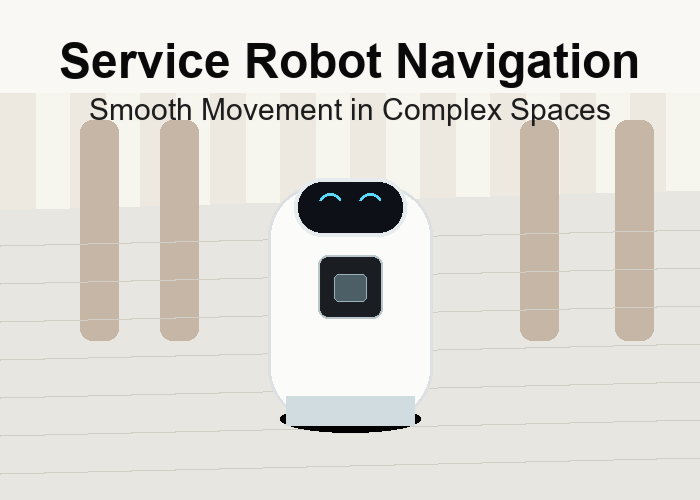
A 2D LiDAR sensor for service robot navigation should be chosen around the places where the robot actually moves: hotel lobbies, office corridors, hospital hallways, warehouse aisles, elevator fronts, charging stations, and tight handoff areas. The sensor does not need to sound impressive on a specification sheet. It needs to help the robot move smoothly when people, furniture, pallets, and temporary obstacles change the scene.
If you are planning a service robot, delivery robot, or AGV project, start from the route and then compare options in the LiDAR sensor category. The most useful early question is simple: what must the robot notice early enough to slow down, avoid, dock, or stop without making the space feel awkward for people nearby?
Quick Answer: Choose The Sensor Around Human Movement
Service robots and AGVs share one practical problem: they work around people who do not move like test targets. A guest may step out from a sofa area. A worker may leave a carton near a rack. A nurse may push a cart across a hallway. A robot that only behaves well in an empty demo lane is not ready for a real building.
This is why the robotics LiDAR application page is a better starting point than a generic product comparison. The robot route decides scan angle, mounting height, detection distance, response rules, and whether the project needs only planar detection or a richer sensing layer.
Why 270-Degree Coverage Matters In Tight Spaces
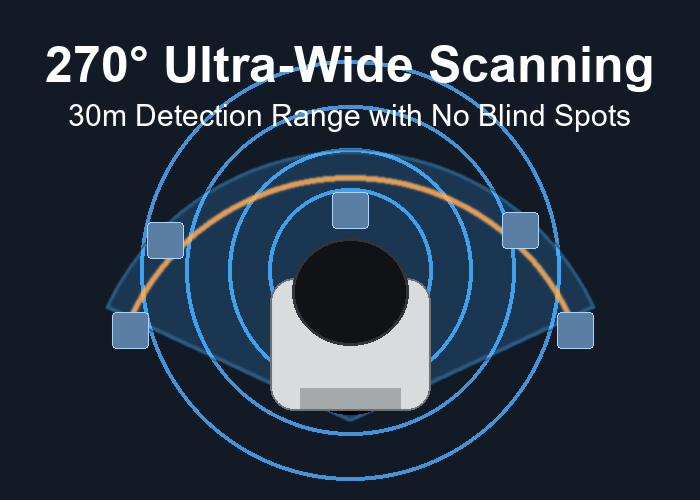
Many indoor robots do not fail on long straight paths. They struggle at corners, narrow doors, lobby furniture, pallet edges, elevator fronts, and docking stations. A wide scanning angle can help the robot keep awareness around the front and sides, especially when the body turns near obstacles.
A wide scan is not a cure-all. The scan plane still has to cross the objects that matter. If the sensor sits too high, it may miss low boxes, shoe-height objects, or low pallet corners. If it sits too low, floor shine, threshold strips, or small debris may create unnecessary stops. The right height is found by testing the route, not by guessing from a desk.
For a general background, the overview of LiDAR technology explains why measuring distance with light is useful for mapping and obstacle detection. The overview of autonomous mobile robots is also useful because it frames the robot as a system that senses, decides, and moves through a changing environment.
The Route Walk: The Most Useful Test Before Buying
Before choosing a sensor, walk the route with a phone camera. Start where the robot begins its task. Record the first turn, the narrowest point, the most crowded point, the docking station, and the place where people cross unexpectedly. If the robot will work in a hotel or office, include shiny floors and glass walls. If it will work in a warehouse, include pallet corners, rack legs, cartons, and cross-aisles.
This walk turns a broad idea into a sensor brief. Instead of saying the robot needs obstacle avoidance, you can say the robot must detect a low carton near the left side before turning into a docking point, or it must slow smoothly when a person crosses a lobby corridor. That level of detail makes the buying decision much clearer.
| Route detail | What to check | Why it matters |
|---|---|---|
| Lobby seating area | People stepping out from the side | Side awareness and smoother slowdown |
| Warehouse cross-aisle | Carton, pallet, or worker crossing | Detection distance and response timing |
| Elevator or docking point | Repeatable alignment surface | Stable final approach |
| Glass or shiny floor | Reading stability and false triggers | Realistic indoor testing |
| Narrow doorway | Robot body clearance | Scan angle and side coverage |
Obstacle Avoidance Is A Behavior, Not Just A Detection
A sensor may detect an obstacle correctly, but the robot can still feel wrong if the behavior is too sudden, too late, or too cautious. People judge robots by movement. A robot that stops sharply in front of every chair leg quickly becomes annoying. A robot that glides around a person too closely feels unsafe. The sensor decision has to connect to behavior rules.
Think in zones. A far awareness zone can prepare the robot to slow down. A middle zone can trigger a more careful path. A near zone can require a stop. These zones should match the robot speed, braking distance, payload, and the comfort level of people in the space.
The OSHA warehousing safety overview is useful even for non-warehouse readers because it reminds teams that mobile equipment, material handling, pedestrians, and changing floor conditions all affect risk. Robot sensing should support the site process, not replace it.
A Practical Example: Service Robot In A Hotel Lobby
Imagine a service robot moving between a reception desk, seating area, elevator front, and delivery handoff point. The floor is clean and bright, but the scene changes all day. Guests roll luggage across the path. A chair is moved slightly. A child pauses near the robot. The elevator area becomes crowded for a few minutes, then clears again.
In this kind of route, a 2D LiDAR sensor can support smooth movement if it sees the right slice of the scene. The robot needs to notice legs, luggage, low bags, furniture bases, and the side edge of a corridor. It also needs a response that feels calm. The goal is not only to avoid contact. The goal is to move in a way people understand.
For developers, the Nav2 navigation documentation is a useful reference because it shows how robot navigation is built from maps, costmaps, behaviors, and sensor inputs. Even if the final robot does not use that exact stack, the concepts help explain why sensor data and movement logic must be designed together.
A Practical Example: AGV In A Warehouse Aisle
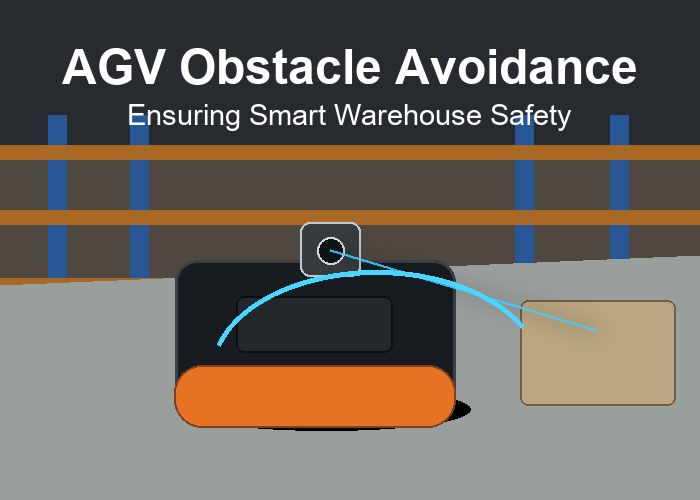
Now picture an AGV carrying material through a warehouse aisle. The route has rack legs, pallet corners, parked carts, and a cross-aisle where people may walk through. The sensor must see practical objects, not only a clean test board. A carton on the floor, a pallet edge, and a cart handle may all create different detection results.
The field test should include normal mess. Put one carton partly inside the route. Place a dark tote near a rack leg. Move a pallet slightly outside the line. Let a person cross at normal walking speed. These tests reveal whether the detection zone is useful, whether the robot slows naturally, and whether nuisance stops become a problem.
NIST research on mobile robotics systems and standard test methods is helpful here because it emphasizes repeatable performance measurement. A polished one-time demo is less valuable than a repeatable test that shows what happens when the scene changes.
How To Choose Mounting Height
Mounting height should be chosen with real objects on the floor. For a service robot, test luggage wheels, shoes, chair legs, low bags, and elevator thresholds. For an AGV, test pallet corners, cartons, rack legs, and hand pallet jacks. The sensor should see the objects that create risk without reacting to every harmless floor detail.
A small adjustment can change the result. Raising the sensor by a few centimeters may reduce floor noise but miss a low carton. Lowering it may catch more floor-level obstacles but increase false triggers. Tilting the sensor can help one zone and hurt another. That is why a short mounting test is more useful than a long theoretical debate.
The ROS guide to setting up robot sensors is a useful reference for engineers because it shows how sensor placement and data representation affect robot behavior. The same idea applies whether the system is built with open tools or proprietary software.
What To Measure During The First Test
Run the route at slow speed first, then normal speed. Record whether the robot sees the object, whether the software interprets it correctly, and whether the movement response feels right. Those are three separate questions. If the sensor does not see the object, change placement or sensor choice. If the software misreads it, change filtering or zones. If the robot moves poorly, tune behavior.
| Test item | Service robot route | AGV route |
|---|---|---|
| Low object | Bag, shoe-height object, chair base | Carton, pallet corner, floor tote |
| Side obstacle | Chair, luggage, wall edge | Rack leg, cart handle, pallet edge |
| Crossing person | Guest or staff crossing corridor | Worker crossing aisle |
| Docking area | Charging dock or elevator front | Station, rack, or handoff point |
| Surface condition | Shiny floor or glass wall | Dust, wrap, or mixed pallet surfaces |
How To Reduce False Stops Without Ignoring Real Obstacles
False stops are one of the quickest ways to make a robot unpopular. If a service robot stops every time it passes a shiny wall, people begin to treat it as a nuisance. If an AGV stops every few meters because it sees harmless floor detail, the warehouse team may lose confidence in the system. The goal is not to make the robot brave. The goal is to make the response accurate enough that people trust it.
Start by separating expected structure from unexpected obstacles. A wall edge, fixed counter, rack leg, or docking fixture may belong to the normal route. A bag, carton, person, cart, or shifted pallet does not. The sensor may see both. The software must decide which objects are part of the normal scene and which require a change in behavior.
This is where a simple zone design helps. A far zone can prepare the robot to slow. A middle zone can ask the robot to choose a smoother path. A near zone can require a stop. A known body zone can ignore the robot shell or fixed mounting bracket. These zones should be tuned with real route data, not only with a drawing.
When a false stop happens, write down the exact cause. Was it a floor reflection? Was the object too close to a normal wall edge? Was the sensor seeing the robot body? Was a cable or bracket entering the scan plane during vibration? These notes turn a frustrating test into a practical tuning list.
Service Robot Details That Are Easy To Miss
Service robot routes often look clean, but they contain subtle problems. Hotel lobbies may have glossy floors, glass panels, metal furniture legs, and people who walk slowly while looking at a phone. Hospitals may have carts, privacy curtains, bed wheels, and narrow corridors. Office robots may pass chairs that move throughout the day.
For these routes, test human comfort as well as detection. Does the robot slow too late when a person steps out from a side area? Does it stop too far away from an elevator door and block the corridor? Does it hesitate near furniture that has not actually entered the path? These small behavior details decide whether the robot feels helpful or awkward.
A good service robot test includes at least one normal walking scenario, one side-step scenario, one low-object scenario, and one docking or elevator-front scenario. The same route should be tested at different times of day if lighting or crowding changes significantly.
Warehouse AGV Details That Are Easy To Miss
Warehouse routes have a different rhythm. The main problem is often not beauty or comfort; it is repeatability under messy conditions. Pallets move. Cartons fall. A worker parks a pallet jack for a short time. Stretch wrap hangs from a load. Rack legs and floor markings create visual clutter around the route.
An AGV test should include objects placed at imperfect angles. Put a pallet slightly outside its lane. Place a carton half inside the route. Park a manual cart close to a rack end. Then run the AGV at the intended operating speed. Watch whether the sensor sees the object early enough for a smooth response.
If the robot carries loads, test empty and loaded states. A payload can block the scan, change vibration, or affect braking distance. A sensor setup that works perfectly with an empty platform may need adjustment when the robot carries a normal load.
A Simple Review Method For Teams
After the first test, review the result with three groups: engineering, operations, and maintenance. Engineering should look at data stability and response timing. Operations should judge whether the robot movement fits the workflow. Maintenance should check whether the sensor can be cleaned, inspected, and replaced without extra work.
A useful review does not end with vague comments such as ‘works well’ or ‘needs improvement.’ It should end with a decision: keep the mounting position, change the height, adjust the zones, retest with different objects, or compare another sensor type. Clear next steps keep the project from drifting.
The best early result is not a perfect demo. It is a clear understanding of what the sensor sees, what it misses, and how the robot behaves when the scene changes. That knowledge is what makes a pilot project ready for a larger deployment, with fewer surprises during daily operation and maintenance reviews.
When A 2D Sensor Is Enough, And When It Is Not
A 2D LiDAR sensor is often enough when the important objects cross the scan plane and the robot needs route-level obstacle awareness. It may not be enough when the robot must understand object height, overhanging loads, stairs, suspended items, or complex stacked shapes. In those cases, the project may need another sensing layer.
If the route later needs richer depth perception, compare the project with the LidarStar product catalog and consider whether another LiDAR type is more appropriate. For now, the best decision is the one that fits the actual route and response rule.
What To Send For A Better Recommendation
When asking for help through the LidarStar request page, send a short route video, robot dimensions, intended mounting position, normal speed, docking target, and the smallest object the robot must detect. Add two or three photos showing the front of the robot, side clearance, and the most difficult part of the route.
Also mention what the sensor data will be used for. Obstacle warning, navigation, docking, and safety-related stopping are different tasks. A clear description helps narrow the sensor choice faster and prevents a recommendation based only on a product name.
FAQ
Is a 2D LiDAR sensor suitable for service robot navigation?
Yes, when the scan plane is placed where it can see the objects that matter and the robot behavior is tuned for the real route.
Does wider scanning automatically mean better navigation?
No. Wide scanning helps only when the sensor is mounted at the right height and the software uses the scan data correctly.
What should I test first?
Test the hardest route section first: a doorway, cross-aisle, docking point, lobby corner, or area where people naturally cross.
Can the same sensor work for service robots and AGVs?
Sometimes. The sensor may be similar, but mounting, response rules, speed, object types, and environmental tests are different.
How many images should I provide for selection help?
Send at least a front view, side view, mounting close-up, route photo, and docking or obstacle area photo. A short video is even better.