
Most engineers reach for the most capable sensor they can find — rich point clouds, dense 3D maps, full SLAM pipelines. But for a growing class of industrial applications, that approach is the equivalent of hiring a cartographer to answer a single yes-or-no question.
The real question on a factory floor is rarely “what does the environment look like?” It’s simply: “is something in the way?”
This distinction matters enormously. Traditional time of flight lidar systems built for mapping generate continuous streams of spatial data that demand processing power, software infrastructure, and ongoing calibration. For obstacle detection, that complexity doesn’t add safety — it adds failure points.
Enter the “Smart Switch” concept: a LiDAR sensor that skips the data pipeline entirely and outputs a direct High or Low digital signal the moment an object enters a defined detection zone. No PC. No middleware. No point cloud processing.
The Hokuyo UST-05DN Scanning Laser Range Finder Scanning Laser Range Finder is the clearest archetype for this category — a switching-type sensor engineered specifically to deliver that binary output reliably, even in demanding industrial conditions.
Simplicity isn’t a compromise. In industrial environments, it’s a design principle. Understanding how that binary output is generated — the internal architecture that makes it possible — is where the real engineering insight begins.
Technical Architecture: How On-Off IO LiDAR Works
Understanding why on-off IO LiDAR is so effective starts with what’s happening inside the sensor — not at the software layer, but at the hardware level.
Time of Flight in a 2D Plane
The 05DN uses Time of Flight (ToF) technology to measure distance. The sensor emits rapid laser pulses and calculates how long each pulse takes to return after bouncing off a surface. This process plays out across a single horizontal plane, producing a 2D radial snapshot of the surrounding environment. According to LiDAR vs. Radar research from IFM, this approach delivers highly accurate, real-time distance measurements — a critical advantage in dynamic industrial environments.
With a 270-degree Field of View (FOV) and a 5-meter detection range, the sensor sweeps a wide arc, covering the majority of a platform’s perimeter in a single unit (LidarSeek).
Internal Map Comparison: The Smart Part
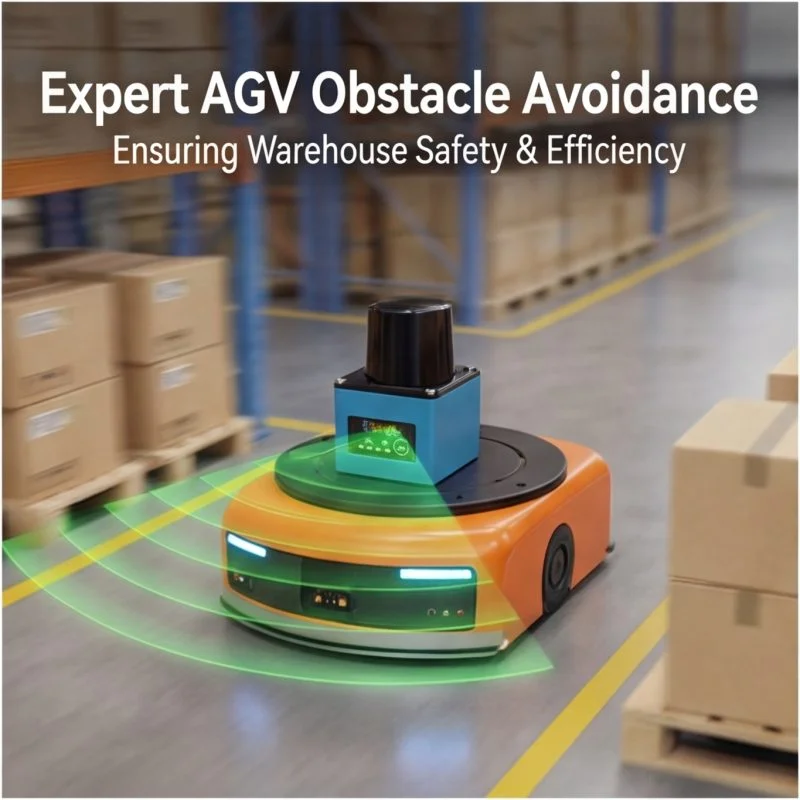
What separates this sensor from a simple rangefinder is internal intelligence. A pre-configured zone boundary — essentially a digital “map” — is loaded directly onto the sensor. On every scan cycle, incoming distance data is compared against that stored map in real time. If an object breaches the boundary, the sensor acts immediately.
The sensor doesn’t ask for permission — it already knows the answer before your controller asks the question.
The On-Off Output Mechanism
That decision surfaces as a straightforward High/Low digital signal via the I/O interface. As Hokuyo Technical Data confirms, the 05DN-style sensor triggers this binary output the moment an object enters the pre-configured zone — no host computer required, no protocol parsing, no latency overhead.
| Feature | IO Version (05DN) | Ethernet Data Version (05LN (Ethernet Data Version)) |
|---|---|---|
| Output Type | Digital High/Low signal | Full point cloud data stream |
| PC Interface Required | No | Yes |
| Processing Location | On-sensor | External system |
| Integration Complexity | Low | High |
| Ideal Use Case | Safety triggering | Mapping, SLAM, analysis |
This architectural simplicity is precisely why IO LiDAR fits industrial obstacle detection so well. And that simplicity is backed by some surprisingly capable core specifications — which deserve a closer look.
The Core Specs That Define Performance
Now that the hardware architecture is clear, the natural question becomes: what does that architecture actually deliver? For engineers evaluating an obstacle avoidance lidar solution, the datasheet numbers only mean something when you understand the context behind them.
Response Time and Safety Margins
The Hokuyo 05DN’s 66ms scan cycle is a genuine sweet spot for industrial safety applications, according to Hokuyo Technical Specs. Fast enough to catch a forklift moving at typical warehouse speeds, yet not so aggressively short that noise triggers false positives. In practice, a sensor cycling at 66ms can detect an intrusion and assert an output signal well within the reaction window that most safety-rated stopping systems require.
Power Compatibility
- 12V/24V DC dual compatibility — fits directly into mobile AGV power architectures without additional regulation hardware
- Low standby draw — critical on battery-operated platforms where every milliwatt matters during long shifts
Output Channels and Zone Logic
The device offers 3 independent output channels, each mappable to a distinct detection zone:
- Warning Zone 1 — outer perimeter, early alert
- Warning Zone 2 — closer approach, reduced speed trigger
- Emergency Stop Zone — immediate halt signal
This tiered structure lets integrators build proportional responses rather than binary stop/go logic.
Environmental Resilience
Warehouse environments are unforgiving — fluorescent lighting, reflective racking, airborne dust, and shrink-wrap debris all challenge optical sensors. The 05DN’s design accounts for these conditions, filtering ambient interference to maintain reliable detection without constant recalibration.
Reliable performance under real-world industrial conditions is what separates a capable sensor from a deployable one. Knowing these specs sets the stage for the next critical step: defining exactly where and how those three output channels trigger — which is where the Area Designer software becomes indispensable.
Configuring Safety: The Area Designer Software Logic
Strong hardware specs only matter if you can actually configure the sensor to match your environment — and this is where many engineers run into a wall. Fortunately, the 05DN ships with access to Area Designer, a free utility from Hokuyo that removes most of that complexity.
Connecting and Getting Started
Configuration happens through a dedicated USB port on the sensor housing. Connect it to any laptop running Area Designer, and the software immediately displays a live visualization of what the sensor is currently seeing. There’s no proprietary dongle, no licensing fee — just a straightforward interface designed for floor-level deployment.
Defining Warning and Emergency Zones
Area Designer lets you draw custom detection zones directly onto a scaled map of your environment. In practice, you’ll define at least two distinct zones:
- Warning zone: A larger perimeter that triggers a caution signal — slowing a conveyor or alerting an operator — when an obstacle is detected.
- Emergency zone: A tighter inner boundary that triggers an immediate stop when anything crosses it.
This layered approach is central to effective LiDAR obstacle detection in busy industrial spaces, where a hard stop every time someone walks through a loading area would cripple throughput.
Pro Tip: Map your Emergency zone to a Normally Closed IO pin. In a Normally Closed circuit, the output stays active under normal operation and drops when an obstacle is detected — meaning a wiring failure or power loss also triggers the safety response. It’s a fail-safe logic that industrial safety standards strongly favor.
Mapping Zones to Physical Outputs
Once zones are drawn, each zone is assigned to a specific IO pin. Normally Closed (NC) outputs are recommended for safety-critical stops; Normally Open (NO) outputs work well for warning signals or secondary alerts.
Validating in the Real World
Before going live, walk a physical object through each zone boundary while monitoring the Area Designer interface. Confirm that pin states change exactly when expected, and log several test passes before locking the configuration. This validation step is non-negotiable in warehouse environments where floor layouts and traffic patterns vary constantly.
With zones defined and outputs mapped, the logical next question becomes: how does the 05DN actually connect into your broader control system?
Integration Strategies: Wiring the 05DN to Your System
Understanding the software configuration is only half the equation. The other half is getting the 05DN physically connected to your control architecture in a way that’s reliable, noise-resistant, and appropriate for your application. The good news: because the 05DN outputs a clean digital signal rather than a stream of point cloud data, integration is dramatically simpler than you might expect from a real-time LiDAR sensor.
PLC Integration: Safety Interrupt for Industrial Controllers
For factory automation environments, the most common deployment connects the 05DN directly to a PLC digital input channel. When the sensor detects an object within a configured zone, it pulls the output line high or low — depending on your wiring configuration — and the PLC interprets that transition as a safety interrupt.
In practice, this means you can halt a conveyor, trigger an alarm, or lock out a robotic arm without writing a single line of communication protocol code. The sensor speaks the same binary language your PLC already understands.
- Verify input voltage compatibility (the 05DN operates at 10–30V DC)
- Use a dedicated safety-rated input channel where E-stop compliance is required
- Keep sensor and power wiring in separate conduits to minimize interference
MCU and Robotics Integration: Bridging the Voltage Gap
Connecting to a microcontroller or robotics compute board running on 3.3V or 5V logic requires one extra step. The 05DN’s output operates at industrial voltage levels, so a voltage divider or optoisolator is the standard solution. An optoisolator is generally preferred in noisy environments because it provides complete electrical isolation between the sensor circuit and your logic board — protecting sensitive components from voltage spikes.
According to Hokuyo Technical Data, the 05DN’s low power consumption makes it particularly well-suited for battery-powered robots, where efficient IO interfaces reduce overall energy overhead.
Direct Relay Control: No Software Required
Perhaps the most elegant integration path is bypassing software entirely. The 05DN’s output can trigger a relay module directly, which in turn cuts power to a motor brake or closes a safety circuit. There’s no PLC, no microcontroller, and no firmware in the loop — just deterministic hardware response.
- Use industrial-grade relays rated for your load current
- Shield all signal cables with braided or foil shielding, grounded at one end only
- Avoid running signal cables parallel to high-current power lines for extended distances
- Twist signal pairs where shielded cable isn’t available
Noise reduction is non-negotiable in industrial settings — a false trigger caused by electrical interference can be just as disruptive as a missed obstacle detection event.
With integration paths clearly mapped, the next logical step is seeing where these configurations perform best in the real world — and the application range is broader than most engineers initially assume.
Real-World Applications: Beyond Simple AGVs
The 05DN’s combination of wide-angle coverage, simple IO output, and straightforward configuration opens the door to deployment scenarios that go well beyond the textbook AGV use case. Industrial lidar at this level of simplicity is a genuinely versatile tool — and these three applications illustrate exactly why.
Warehouse AGVs: Corner ProtectCollision and Narrow Aisle Navigation
Standard AGV sensors struggle most at corners and in tight aisles where obstacles appear suddenly from the side. The 05DN’s 270° field of view is a direct answer to this problem. Mounted at a vehicle corner, it covers angles that a typical 180° sensor leaves completely blind.
- Detects pedestrians stepping into an aisle from a perpendicular corridor
- Provides overlap coverage when sensors are paired on opposing corners
- Reduces stop-and-restart cycles by catching obstacles earlier in their approach path
Area Security: Invisible Fences Around Dangerous Machinery
One of the most underutilized deployment patterns is using the 05DN as a perimeter guard rather than a vehicle-mounted sensor. Configured with a defined detection zone, it creates an invisible fence that triggers a machine stop the moment anyone enters.
- No physical barriers required
- Output connects directly to a machine’s safety relay or PLC input
- Adjustable zone geometry adapts to irregular floor layouts
Automated Carts: Retrofitting for High-Traffic Zones
Manual carts operating in busy facilities are a surprisingly common collision risk. A single 05DN unit added to the front of a cart delivers basic but effective collision avoidance — no complex integration needed.
The right sensor doesn’t require a complex system to deliver real safety value. Primary use cases like collision avoidance for AGVs, AMRs, and area security confirm that on-off IO LiDAR earns its place in any facility serious about protecting people and equipment.
Key Takeaways
- 12V/24V DC dual compatibility — fits directly into mobile AGV power architectures without additional regulation hardware
- Low standby draw — critical on battery-operated platforms where every milliwatt matters during long shifts
- Warning Zone 1 — outer perimeter, early alert
- Warning Zone 2 — closer approach, reduced speed trigger
- Emergency Stop Zone — immediate halt signal